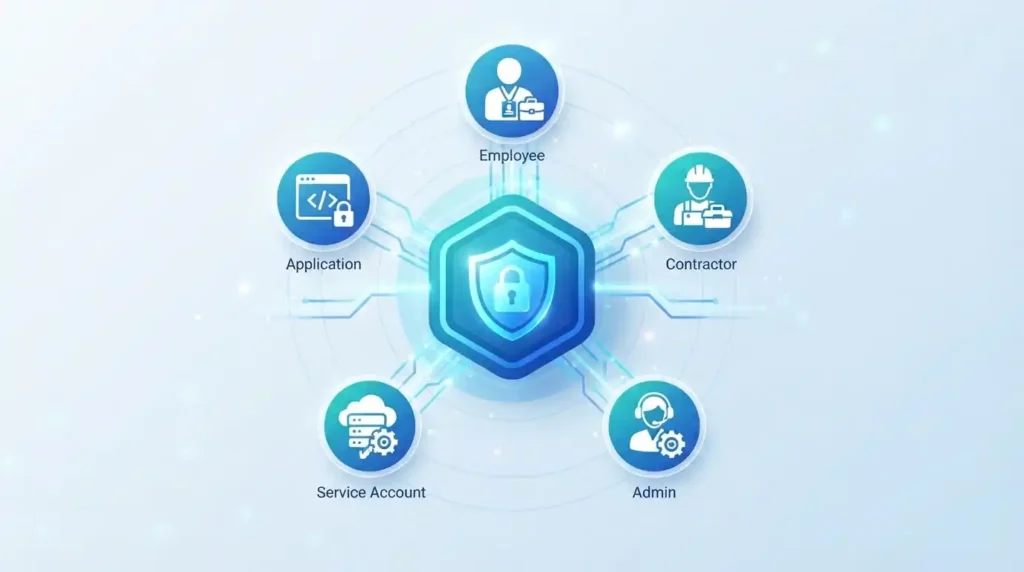
Most companies have more digital identities than they realize. Employees, contractors, admins, customers, service accounts, and applications all require access to systems. It seems simple enough until the company grows. Someone gets hired and needs several accounts. An employee switches teams. A contractor finishes their work but still has access months later. An admin needs additional privileges for a limited time. A new application is deployed and requires users to be added.
Identity and Access Management (IAM) provides a systematic approach to managing identities and ensuring they only have the access they need. When properly implemented, it can help organizations secure their systems without creating roadblocks for their employees.
What Is Identity and Access Management?
Identity and Access Management is a set of processes, policies, and technologies used to manage digital identities and control access to applications, systems, and data.
A good IAM program answers a few key questions:
- Who is requesting access?
- Can the subject be trusted?
- What are they trying to access?
- What level of access do they need?
- When should they have access?
A good IAM program should ensure that identities are only provided the permissions they need and that those permissions are actively reviewed throughout the subject’s lifecycle. For example, an employee may need access to the finance system while working in the finance department, but they may not need it if they move to another team.
Why Modern Businesses Need Better Access Controls

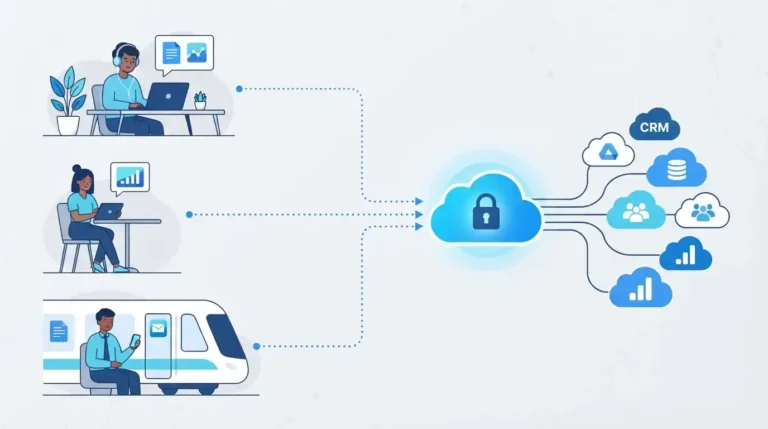
The traditional approach to network security is changing. Employees are working outside the office, using their own devices, connecting to cloud applications, and collaborating with external partners, while business systems are becoming more interconnected than ever before. As a result, the traditional perimeter-based approach to network security is no longer sufficient. For a broader look at securing distributed, cloud-first environments, see our guide on cloud security tips for 2026.
The Principle of Least Privilege
The principle of least privilege (PoLP) states that a user or system should only be provided the minimum level of access needed to perform their duties. For example, if an employee needs access to customer records, they may need permission to read the data, but they should not be given write permissions unless they need to update the records. The same principle applies to applications and service accounts if a software component only needs to read data, it should not be given permissions to update or delete anything. This same logic underpins how API access should be scoped and secured between applications.
Why Excessive Access Is a Problem
Giving users excessive access can be dangerous if their credentials are compromised. For example, an attacker who compromises an account with limited access has far fewer options available to them than one who compromises an over-privileged account.
How Access Management Works
Access management is more than just making sure users have the right passwords. It is about ensuring users have the right access at the right time. When a user joins or leaves an organization, their permissions should be reviewed to ensure they only have the access they need this is sometimes called joiner, mover, leaver (JML) management. For example, if an employee moves from one team to another, their permissions should be updated to reflect their new role. If they leave the company, their access should be removed entirely.
Role-Based Access Control
RBAC is an approach to access management that focuses on a user’s role within the organization. Instead of providing users with individual permissions, you define a set of permissions for each role and assign them to users based on their position.
Privileged Access Management
Administrators are often provided with privileged access since they are responsible for managing systems and applications. This can include the ability to install software, modify configurations, and reach sensitive data. Since these users have more access, it is important to ensure they are properly secured this is where Privileged Access Management (PAM) plays an important role.
PAM helps organizations reduce the risk of privileged access being misused. It typically involves implementing additional security controls around privileged accounts, including requiring multi-factor authentication (MFA), limiting the time privileged access is available, and recording all activity for auditing purposes. The goal is to reduce risk while still giving users the access they need. Continuous monitoring of this kind of activity is also where a virtual SOC security service adds value, since privileged account activity should be watched in real time, not just reviewed periodically.
Separate Everyday and Administrative Accounts
Administrators should use separate accounts for day-to-day activities and for administrative tasks. This helps ensure that if their everyday account is compromised, the attacker will not be able to gain privileged access to the system. It also helps reduce the risk of accidental privilege escalation. For highly secure environments, organizations may want to consider implementing just-in-time elevation, an approach that allows users to request temporary privileged access when needed rather than having it available at all times.
Where Multi-Factor Authentication Fits In
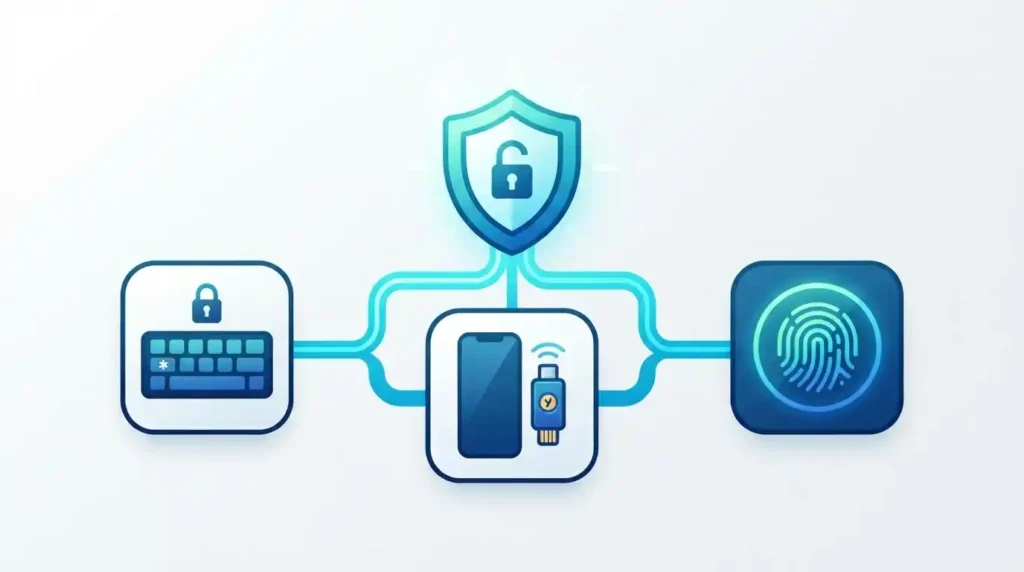
Passwords are often the weakest link in the security chain. They can be stolen, guessed, or shared. Multi-factor authentication (MFA) adds an additional layer of security by requiring users to provide more than just a password something the user has (a security key), something the user knows (a password), and something the user is (biometrics).
MFA can help organizations reduce the risk of compromised credentials. Even if an attacker obtains a user’s password, they will still need to provide an additional authentication factor, which can significantly increase security, especially for sensitive accounts. NIST’s Digital Identity Guidelines offer the current federal standard for authentication and identity assurance levels.
Identity Governance and Administration
As organizations grow, it can become increasingly difficult to manually review and manage user access. This is where Identity Governance and Administration (IGA) comes in. IGA focuses on the processes and policies used to manage digital identities, typically covering:
- Identity lifecycle management
- Permission requests and approvals
- Permission reviews
- Separation of duties
- Policy enforcement
- Reporting
Strong IGA processes are also central to passing regulatory audits see how this plays out in practice in our guides to SAMA cybersecurity compliance and managing multi-framework compliance across SOC 2, ISO 27001, and HIPAA.
Regular Access Reviews Are Important
Access reviews should be conducted regularly to ensure users only have the access they need. This matters because user roles and responsibilities change over time for example, an employee may request access to a financial application when they join the finance team, but no longer need it if they move to a different department.
Access reviews also help organizations identify and remove inactive accounts. Contractors, temporary workers, and former employees may have accounts that no longer need to be maintained. By reviewing access regularly, organizations can ensure these accounts are removed when they are no longer needed.
Automation Can Help Reduce Administrative Headaches
Many aspects of identity management can be automated to reduce the administrative burden. For example, an organization can use automation to create and remove user accounts based on information from an HR system, ensuring accounts are created when employees join the company and removed when they leave. Automation can also be used to enforce access policies consistently across systems.
Comparing IAM Controls
The table below summarizes how the core IAM controls work together each one addresses a different piece of the access puzzle.
| Control | Main Purpose | Typical Use |
|---|---|---|
| MFA | Strengthen authentication | Protect user accounts |
| RBAC | Organize permissions | Assign access by job role |
| PAM | Protect elevated privileges | Manage administrator access |
| IGA | Govern identities and permissions | Reviews and lifecycle processes |
| Least Privilege | Reduce unnecessary permissions | Limit resource access |
| Access Review | Validate existing permissions | Remove outdated access |
Building an IAM Framework for Enterprises
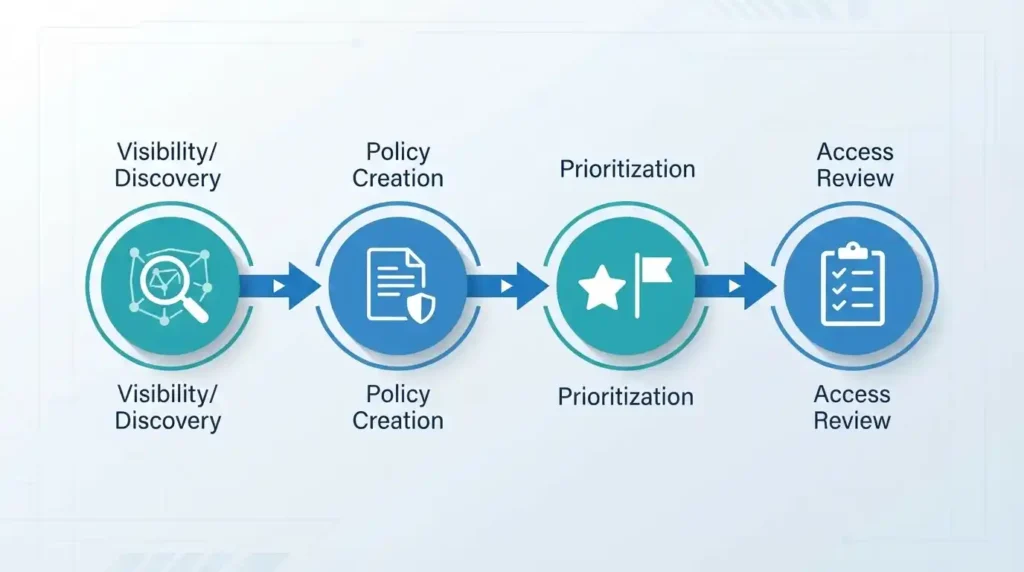
An effective IAM framework should be built around visibility, not technology. Before implementing new technologies, organizations should understand their current environment their identities, applications, systems, and access relationships. A good starting point is to identify the most critical resources within the environment by asking:
- What are the most important applications and systems?
- What accounts have administrative privileges?
- What resources contain sensitive data?
- What identities have access to these resources?
Answering these questions well requires the same asset visibility that underpins external attack surface management you can’t govern access to systems you don’t know exist. Once these questions are answered, organizations can start developing policies that address their specific needs.
Establish Policies Around Access
Policies should define who can request access, who can approve access, and how long access should be maintained. They should also specify how privileged access should be managed. Policies should be carefully developed to ensure they are effective while still being practical.
Prioritize High-Impact Areas
Not all areas of the environment carry the same risk. Some accounts and systems are more critical than others, so organizations should prioritize their efforts based on potential impact. This typically includes administrators, accounts with access to sensitive data, service accounts, external users, shared accounts, and inactive accounts.
Make Access Reviews Simple and Practical
Access reviews should be simple and practical. Users should not be overwhelmed with information or asked to approve unnecessary access. If someone is asked to approve 500 permissions with no context, they are likely to approve everything without thinking about it. Instead, organizations should make it easy for users to understand what they are approving for example, by highlighting any unusual or potentially risky permissions.
Identity and Access Management Best Practices for 2026
Organizations that want to implement IAM best practices in 2026 should focus on reducing unnecessary trust and ensuring access decisions are as flexible as possible:
- Use stronger authentication for sensitive accounts. Administrative accounts and other privileged identities should be protected with stronger authentication factors.
- Implement the principle of least privilege. Users should only be given the access they need to perform their duties.
- Conduct regular access reviews. Access should be reviewed and approved on a regular basis to ensure it continues to be necessary.
- Protect privileged accounts. Administrative accounts should be carefully managed and monitored.
- Automate where possible. Lifecycle processes should be automated to reduce the administrative burden.
- Ensure visibility across cloud and on-premises environments. Since users draw on resources from multiple locations, organizations need visibility across all of them a core part of SaaS security posture management.
Frequently Asked Questions
What is IAM?
IAM stands for Identity and Access Management. It is the discipline of managing digital identities and controlling their access to applications, systems, and data.
Why is least privilege important?
It reduces the blast radius of a compromised account a user or system only has the specific permissions it needs, so a compromised credential gives an attacker limited options rather than broad access.
What is the difference between RBAC and PAM?
RBAC is about organizing everyday permissions based on job roles, while PAM focuses specifically on protecting and controlling elevated, administrative access.
How does MFA improve identity security?
It adds a second authentication factor beyond a password, making it significantly harder for an attacker to compromise an account even if they steal the password.
What is IGA?
IGA stands for Identity Governance and Administration. It covers the processes and policies used to manage digital identities across their full lifecycle, from onboarding to offboarding.
How often should access be reviewed?
There is no one-size-fits-all answer it depends on the organization’s risk profile. Higher-impact accounts and systems typically need more frequent reviews, while lower-risk accounts can follow a longer cycle.
Is IAM only for employees?
No. It covers employees, contractors, customers, service accounts, applications, and any other identity that needs access to resources.
Conclusion
Managing digital identities is no longer an optional or niche discipline. As organizations continue to rely on cloud applications and interconnected systems, access decisions have a direct impact on their security posture. A strong IAM strategy should be built around the principle that users and systems should only have the access they need. From there, organizations can begin layering additional security controls, such as MFA, RBAC, PAM, and IGA.
The technology matters, but the underlying process matters more. By regularly reviewing access, removing unnecessary privileges, protecting privileged accounts, and leveraging automation, organizations can reduce their risk without creating unnecessary barriers for their employees. If you’re evaluating where your organization’s biggest access-related blind spots are, our cybersecurity myths guide is a good next read.
Discover more from Diginatives
Subscribe to get the latest posts sent to your email.