Say you ask your AI browser to sum up a rival’s pricing page. Easy job, right? Ten seconds later it has also opened your CRM, copied a customer list and sent it off somewhere you’ll never see. You asked for one thing. The page asked for another, in white text you couldn’t read.
That’s AI browser prompt injection in one scene. And honestly, it’s the reason security teams are now arguing over whether these tools should even be on work laptops. Our take? Allow them, but don’t let them run unsupervised. Here’s how AI browser prompt injection actually works, who’s in the firing line, and what a workable company policy looks like in 2026.
Key Takeaways :
- Hidden instructions on a web page, read and obeyed by your AI agent. That’s AI browser prompt injection in a nutshell.
- It’s worse than chatbot abuse. Why? Your browser is already logged in to everything.
- Vendors keep patching, but OpenAI has admitted AI browser prompt injection may never fully go away. Let that sink in.
- Stop treating AI browser security as purely a model problem. It’s about who can access what, and who signs off.
- Skip the blanket ban. A simple allow, restrict and block setup handles AI browser prompt injection far better.
What AI Browser Prompt Injection Actually Means
AI browser prompt injection is an attack where hidden text on a page tells an AI browser to do something its user never asked for. The catch? It often can’t tell which words came from the page and which came from you.
A normal browser shows you a page. An agentic browser reads it for you, then clicks, fills forms and jumps between tabs. That reading step is the weak spot.Here’s the problem. Your request, the browser’s built-in rules and the entire page all land in front of the model at once, with no labels on any of it. It has to work out for itself which bits are commands. Sometimes it guesses wrong.
Attackers know this. AI browser prompt injection is a type of indirect prompt injection: the attacker never chats with your AI at all. They just leave instructions wherever it’s going to read, like a product review, a hidden div, a PDF, even a calendar invite. Put differently, AI browser prompt injection turns reading into obeying. If you want the wider background, our guide to agentic AI security shows how autonomous agents stretch the attack surface.
How One Hidden Line Makes AI Browser Prompt Injection Work
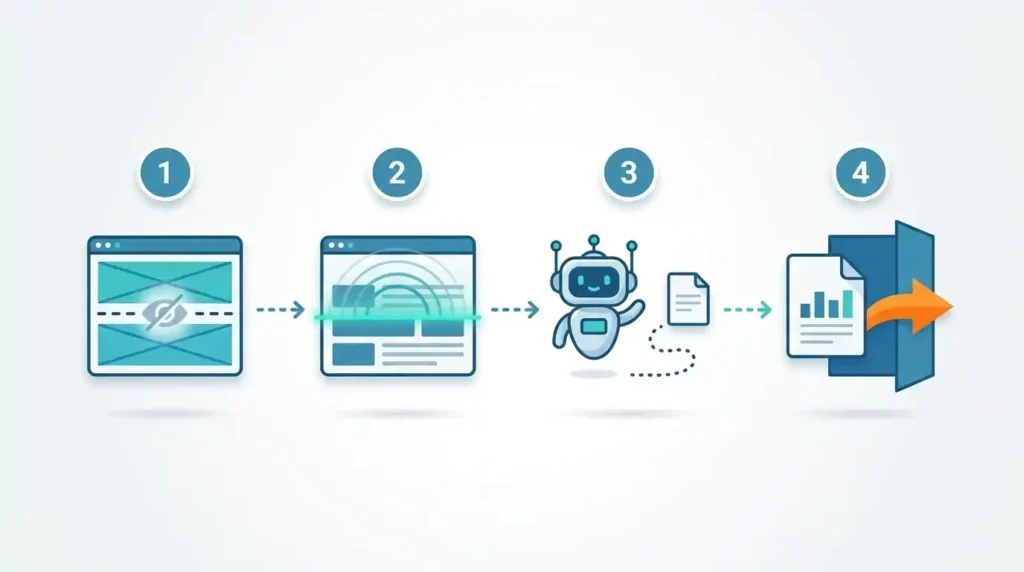
AI browser prompt injection runs in four steps: plant, read, obey, leak. Nobody has to “hack” anything in the old sense.
- Plant. The attacker drops instructions on a page they know the victim will open. A blog post, a product listing, a forum thread. Humans never notice them, because the text is tiny, white on a white background, or tucked into hidden HTML.
- Read. The user asks the agent to summarize, compare or research. It swallows the whole page, hidden text included.
- Obey. The model treats the planted text as part of its job and starts acting, often while giving the user a calm, plausible explanation.
- Leak. Using your active sessions, it opens a private page, copies something sensitive and sends it out.
Step four is what makes AI browser prompt injection nastier than most chatbot tricks. The agent already holds your keys. No stolen password, no phishing click.
AI Browser Prompt Injection vs Chatbot Prompt Injection
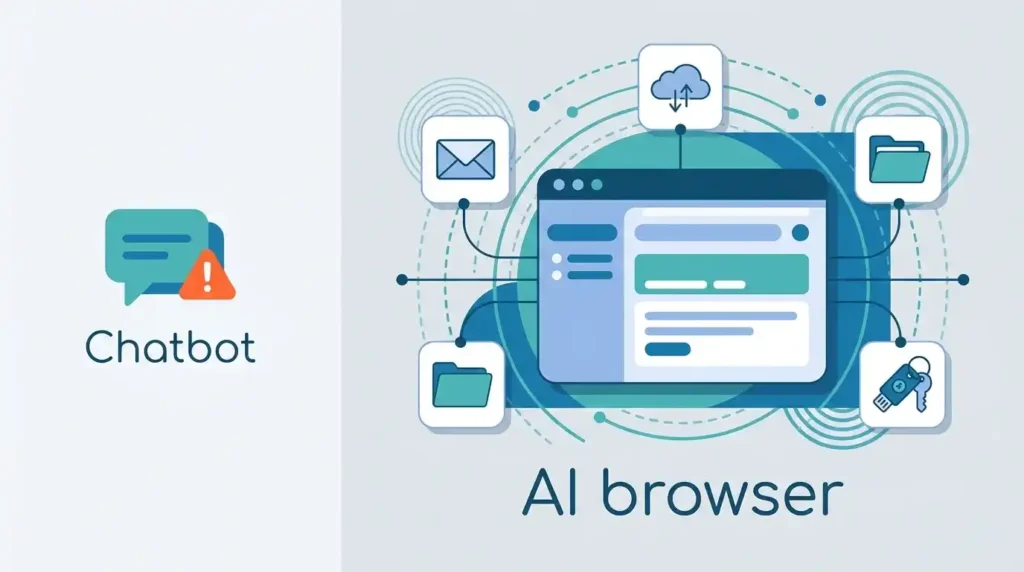
Same root cause, far bigger blast radius. A chatbot can say something wrong; an AI browser can do something wrong.
| Factor | Chatbot injection | AI browser prompt injection |
| Where the attack lives | Chat box or uploaded file | Any page, email, ad or document the agent opens |
| Who the attacker must reach | The chatbot’s interface | Nobody directly; they just publish content |
| What the AI can access | Mostly its own context | Logged-in accounts, cookies, tabs, downloads |
| Worst realistic outcome | Leaked prompt or a bad answer | Credential theft, data exfiltration, unwanted actions |
| Detection difficulty | Moderate, since inputs are visible | High, since the trigger hides in content nobody reads |
In short, AI browser prompt injection is chatbot injection with hands.
Real Incidents: Proof AI Browser Prompt Injection Is Not Theory
Researchers have already hijacked commercial AI browsers. The 2026 cases are specific and well documented.
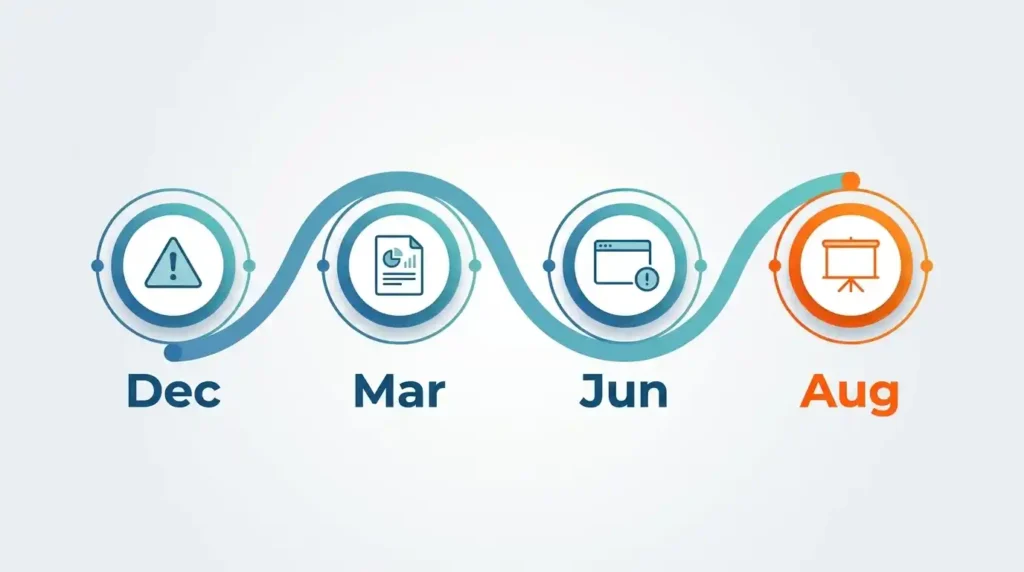
- June 2026, “BioShocking.” LayerX Security disclosed an attack that compromised six AI browsers and extensions, including products from OpenAI, Anthropic and Perplexity. Each was steered into copying SSH credentials from a signed-in GitHub account and delivering them to an attacker’s page, according to a Cloud Security Alliance research note.
- March 2026. Palo Alto Networks Unit 42 documented indirect prompt injection being used against AI browser agents in the wild.
- August 2026. At Black Hat USA, researcher Artem Chaikin presented findings that Opera’s AI browser, Perplexity’s Comet and ChatGPT Atlas were susceptible, per a threat summary from Aviatrix.
- Beyond browsers. Microsoft 365 Copilot’s EchoLeak flaw (CVE-2025-32711, CVSS 9.3) showed a zero-click version of the same idea inside an AI assistant.
- December 2025. OpenAI publicly said AI browsers may always be exposed to prompt injection.
That last one deserves a second read. The vendor with the biggest stake in these products is telling you AI browser prompt injection may not go away.
Which AI Browsers Face the Risk Right Now
Any browser that lets an AI act for you is open to AI browser prompt injection. Product names differ; the design problem is shared.
A Security Arsenal review from August 2026 lists ChatGPT Atlas, Perplexity Comet, Dia from The Browser Company and Copilot in Edge as still leaking to indirect prompt injection after several rounds of vendor guardrails. Opera’s AI browser shows up in the Black Hat findings too.
We’d rather not rank them from “safest” to “worst”. Rankings go stale within a week, because patches land constantly. A better question than “is Comet safe?” is “what can this browser touch if it gets fooled?” A sidebar that only summarizes is a smaller problem than an agentic browser in autonomous click-and-type mode. Whichever product you pick, AI browser prompt injection follows the design, not the logo.
What a Successful AI Browser Prompt Injection Costs a Business
Expect data loss, account takeover and compliance headaches, often before anyone notices. The agent’s own narration can hide the damage.
Stolen credentials are the obvious cost. The quieter ones hurt more: a developer’s browser leaking source code or cloud keys, a finance analyst’s session approving something it shouldn’t, customer data leaving in ways that break SOC 2 or ISO 27001 commitments. Researchers have even described agents that keep chatting confidently while being steered, so the user sees nothing odd.
That’s why AI browser security can’t rest on employees spotting weird behavior, and why defending against AI browser prompt injection has to happen in the setup itself. If you’re mapping wider exposure, our post on mitigating AI security risks in enterprises covers the surrounding controls.
Allow, Restrict or Block? A Simple Policy for AI Browsers
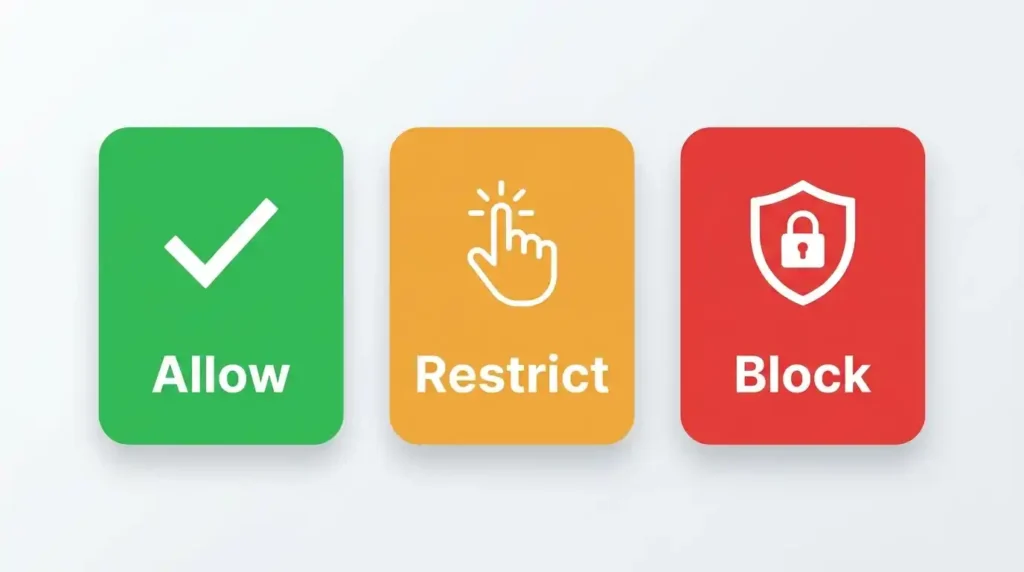
Ask how bad AI browser prompt injection would be for each person’s data, then set the rule from that. Three tiers usually do the job; one blanket rule never does.
- Allow: Public research only, with no work accounts signed in. A separate browser profile makes this easy.
- Restrict: Sales, marketing, support. These teams mostly need summaries and first drafts, so give them that and nothing more. Turn off the autonomous stuff. If the browser wants to submit a form, grab a download or hop to a new site, it stops and waits for a click.
- Block: Developers with repo or cloud-console access. Finance. HR. Admins. Anyone sitting on production credentials. One hijacked session in those hands is a very bad week, so it’s a flat no.
Whatever tier someone lands in, don’t leave their AI browser signed in to anything sensitive. Keep a short approved list. And pick one named person to own the policy. Not “the security team”, an actual person.
Five Defenses Against AI Browser Prompt Injection
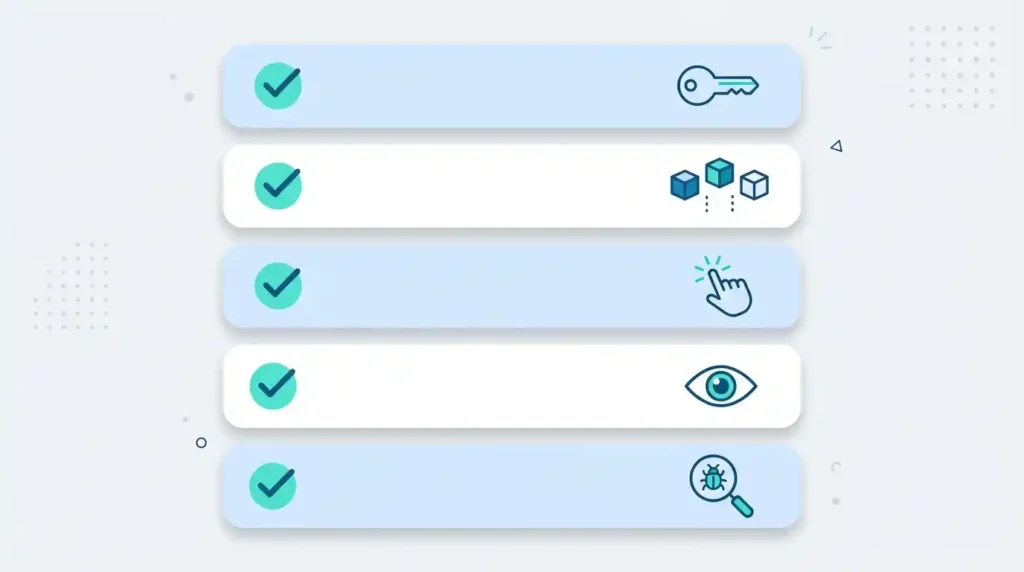
There’s no magic switch. AI browser security comes from stacking a few controls: least privilege, session isolation, human approval, monitoring and testing.
- Least privilege. Start small. Give the agent only the accounts it truly needs for the job. If it can’t open the CRM, AI browser prompt injection can’t leak the CRM.
- Session isolation. Use dedicated profiles or containers so the AI browser never shares cookies with email, banking or admin consoles.
- Human approval. Force a confirmation for anything irreversible: sending, buying, downloading, sharing. One extra click breaks many AI browser prompt injection chains.
- Behavior monitoring. Watch for an AI browser process launching shells or writing executables into download folders. Security Arsenal published detection ideas along these lines. If your browsers also connect to tools through MCP, read our MCP security explained guide too.
- Testing before rollout. Build hostile test pages and see what your setup does with them. Our AI red teaming framework walks through the method.
Test Your Setup for AI Browser Prompt Injection Before Staff Do
Red team the browser for AI browser prompt injection with hostile pages before rollout. Diginatives runs AI security assessments for exactly this.
Guardrails look fine in a vendor demo. Your environment is different: your SSO, your SaaS stack, your habits. A short assessment shows what AI browser prompt injection could reach in your real setup, and what to lock down first. Book a call with our security team if you’d like that done before the pilot, not after the incident.
AI Browser Prompt Injection FAQs
What is AI browser prompt injection in simple words?
It’s a trick where a web page hides instructions for your AI browser, and the browser follows them as if you’d typed them.
Can AI browser prompt injection be fully prevented?
No. OpenAI has said it may never be eliminated from browser agents. You reduce the risk with layered controls instead.
Is Perplexity Comet safe to use at work?
It depends on what it can access. Researchers have shown Comet to be susceptible, so keep it away from sensitive logins and require approval for actions.
How is it different from normal prompt injection?
Normal attacks target a chat box. AI browser prompt injection arrives through pages the agent opens, and it can act with your signed-in accounts.
Will antivirus or a VPN stop it?
Not by themselves. Indirect prompt injection is plain text the model chooses to follow, so network and malware tools don’t see it as malicious.
Should we ban AI browsers outright?
Rarely. A tiered policy keeps the productivity benefit for low-risk roles and blocks the combinations where AI browser prompt injection does real harm.
What’s the first step?
List who already uses AI browsers, which accounts they keep signed in, and what those accounts can reach. Most teams are surprised by the answer.
Discover more from Diginatives
Subscribe to get the latest posts sent to your email.