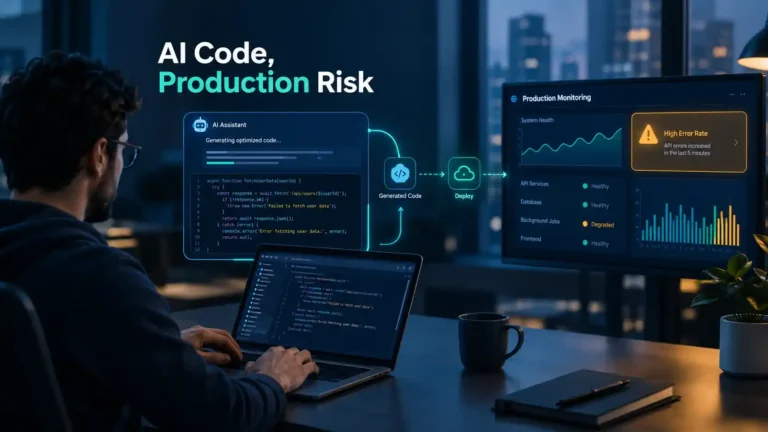
AI-generated code production incidents mostly come down to one problem. The code looks right, so it gets approved, then it hits real traffic and falls over. Surveys this year say 80 to 90 percent of teams have been burned at least once. Banning the tools won’t fix that. Boring habits will: pull requests short enough that someone actually reads them, automated checks before any human gets involved, a label on anything the AI wrote, and one named person who can explain every merge when it breaks.
Think of a regular Friday. A developer merges a change that took forty minutes to write, not four hours. The review went fine, the tests passed, and the deploy was live before lunch. Then, by mid-afternoon, payments start timing out. The whole team looks at one function and nobody can explain it, because nobody on the team wrote it.
This is happening more and more. In this post, we’ll look at what the data says, why these problems get past review, and what a small team can fix without buying any new tool.
AI-Generated Code Production Incidents: What the 2026 Data Shows
In recent surveys, between 78% and 89% of engineering organizations reported at least one production problem tied to AI-written code, and most said they weren’t shipping any faster.
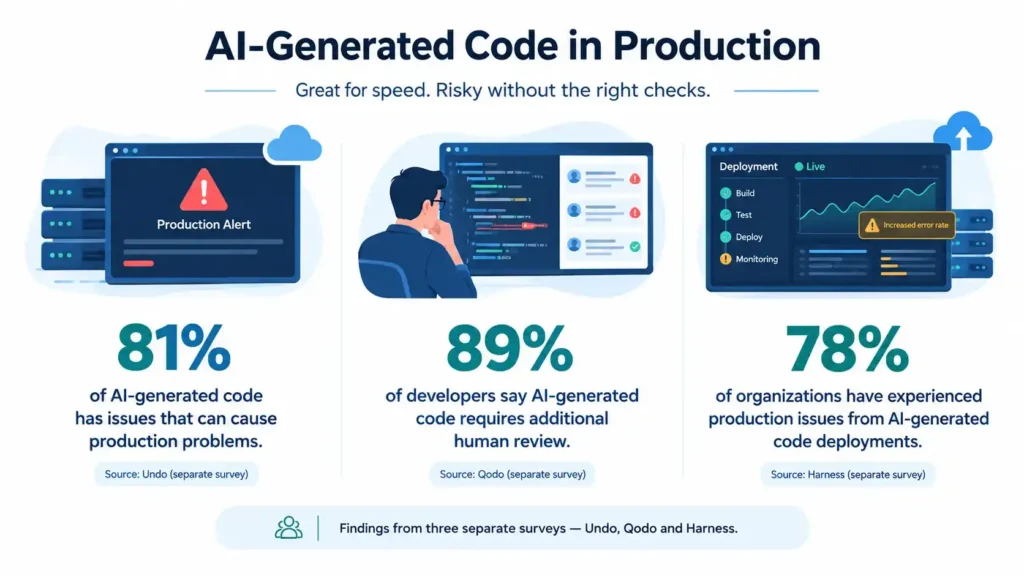
Three surveys came out this year, and they agree more than you’d expect.
Undo talked to 300 senior engineering leaders in the US and UK. 81% said AI coding tools had caused a production incident or outage in the last six months. 35% said AI-written code reached production before anyone fully understood it. And 79% said their release cycles weren’t any quicker, which is the part that stings. All that extra code, and the shipping speed stayed the same.
Qodo and Censuswide asked 500 US engineers and got 89% reporting at least one AI-related incident. Big companies (10,000+ people) fared worst, with 40% reporting an outage caused by AI code. And 41% of developers said they now spend more time on manual review than they did before.
Harness found something odd. 94% of leaders thought AI code was better quality when they reviewed it, yet 78% saw more incidents afterward. Same people, two opposite conclusions.
So these AI-generated code production incidents aren’t freak accidents. They come from how the code gets produced and checked. One fair warning: every one of these studies was run by a company that sells developer tools, so we’d read the percentages as a rough direction rather than a precise measurement. Still, when separate surveys land in the same place, it’s worth listening to.
Why AI-Generated Code Fails in Production Even After Review
AI-generated code production incidents usually come from four things: the AI doesn’t know your system, reviewers get tired, edge cases go untested, and small messes pile up over time.
It doesn’t know your system
The AI only saw the file you gave it. It never saw the three services that depend on that file. So it might call an endpoint you shut down last quarter, or miss a pricing rule that only one person on your team remembers. The code looks clean, but it doesn’t fit your setup. In Undo’s survey, most engineering leaders said better context would help more than a more powerful model.
Review fatigue is real
A developer can now generate a 600-line change in ten minutes. But the reviewer still reads at normal speed. So they skim, approve faster, and understand less. That’s how a change passes review and then wakes you up at 2 a.m.
Test data is polite, users aren’t
Real users paste emoji into phone number fields, tap submit twice, and use your app on weak mobile networks. AI code usually works well when everything goes right. When something unexpected happens, it often breaks, because nobody told the AI about those cases.
Speed hides the mess
Shipping fast feels great, so nobody asks if the codebase is getting harder to work with. You end up with near-duplicate helper functions, three different ways of handling errors, and logic nobody can explain. You pay for that later, usually during an outage.
Signs Your Team Is Already Dealing With AI-Generated Code Production Incidents
You don’t need a survey to know. Just check how many of these sound like your team:
- Pull requests keep getting bigger, but the review comments keep getting shorter.
- Someone asks “who wrote this?” and the honest answer is “the AI assistant.”
- Hotfixes right after a release no longer surprise anyone.
- Your team writes twice as much code, but test coverage stays the same.
- Every post-mortem ends with “we didn’t expect that input.”
If three or more of these are true, your risk of AI-generated code production incidents is probably higher than your dashboards show.
Is AI-Generated Code Safe for Production?
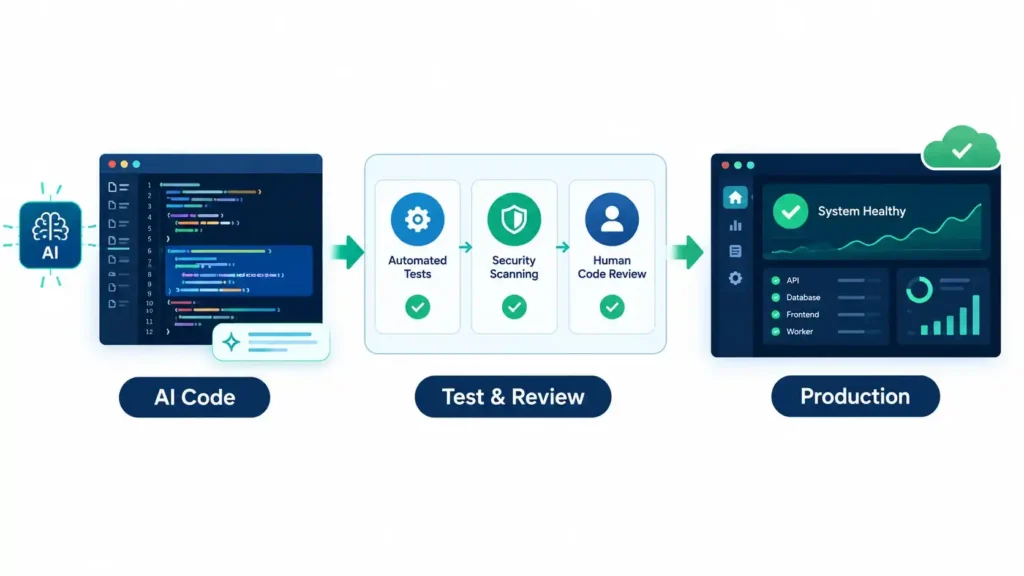
Yes, but only if it passes the same checks as any other code and a real person takes responsibility for it. If it ships just because it “looks fine,” then no.
How careful you need to be depends on what the code does. Here’s a simple guide:
| What the AI wrote | Risk | What to do before merging |
| Boilerplate, basic CRUD code, config files | Low | Regular review and passing tests |
| Unit tests | Low to medium | Check that the tests actually fail when the code is broken |
| Refactors that touch several modules | Medium | Run the full regression suite and release in stages |
| Login, payments, data migrations | High | Senior review, a security scan, and a written rollback plan |
| Concurrent or performance-critical code | High | Load testing, plus a written explanation of how the logic works |
None of this says “don’t use AI.” It just says the riskier the code, the more checking it needs.
How to Review AI-Generated Code: A 5-Step Checklist
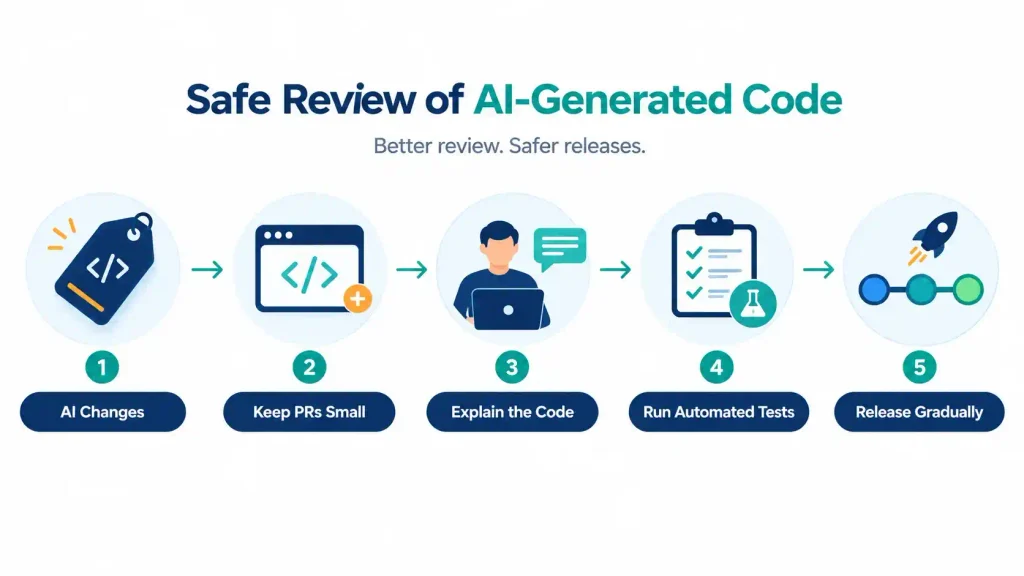
Label it, keep it small, make the author explain it, let automation go first, and release it slowly.
- Label AI-written changes. A checkbox in your pull request template is enough. You can’t fix what you can’t see, and after a few months you’ll have your own record of AI-generated code production incidents instead of borrowing a vendor’s numbers.
- Keep pull requests small. Nobody reads a 900-line diff. They approve it. A 150-line change actually gets read. Set a soft limit, and if the agent produces more, ask it to split the work.
- Make the author explain it. Before a reviewer spends a minute, the person submitting should be able to say what the change does and what might go wrong, in their own words. Can’t do it? Not ready. This one habit does more for AI-generated code quality than most tools will.
- Let automation go first. Linting, static analysis, dependency checks and integration tests should fail fast, so humans only see changes that already cleared the basics. Add at least one test with messy, realistic input.
- Release slowly and watch the right numbers. Feature flags and canary releases are your friends for risky changes. Track change failure rate and rollbacks next to throughput. If speed goes up while stability drops, you haven’t gained anything, and the AI-generated code production incidents will keep coming.
AI Code Review Best Practices: What Each Layer Catches
One layer of checking is never enough. Use several, because each one catches things the others miss.
It helps to think of them as nets with different-sized holes. What slips through one usually gets caught by the next. Here’s how each layer helps against AI-generated code production incidents:
| Layer | What it’s good at catching | What it usually misses | Effort |
| Linters and static analysis | Style problems, known bug patterns, some security holes | Logic that is wrong for your business | Low |
| Automated tests | Regressions, broken contracts between services | Cases nobody thought to write a test for | Medium |
| AI-assisted review | Obvious bugs, code that doesn’t match the rest | What your product is actually supposed to do | Low |
| Human review | Bad design, risky changes, unclear intent | Gets worse when there’s too much to review | High |
| Staged rollout and monitoring | Problems that only show up under real load or real data | Nothing in advance, since it only finds issues after release | Medium |
If you can only improve one layer this month, make it the automated tests. They cost less than the others, and they make every other layer work better.
AI Coding Tools Risks Beyond Bugs
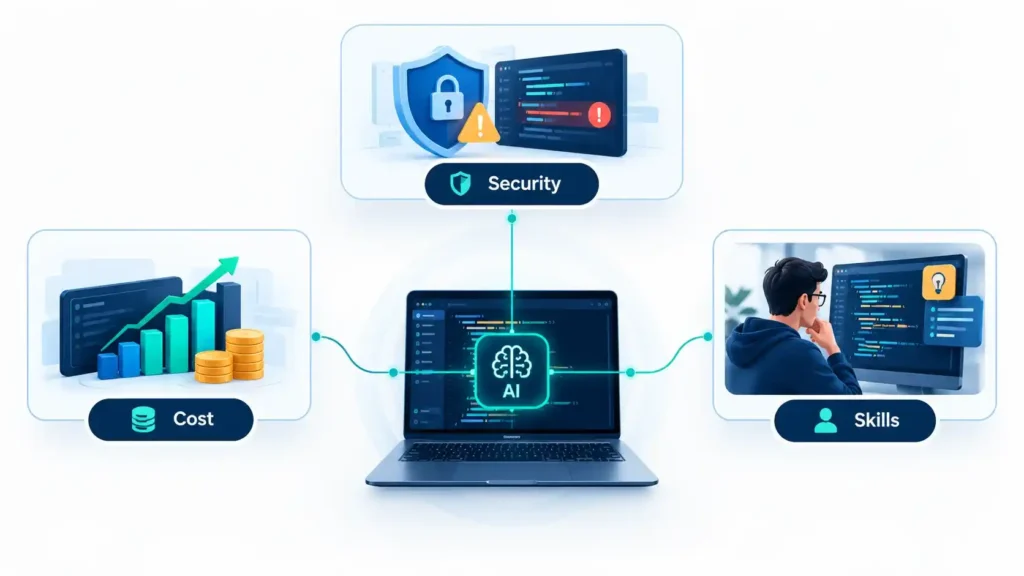
Bugs are the risk everyone talks about. They’re not the only one.
Security. These tools learned from public code, and plenty of public code is careless. Sometimes the output skips input checks or has an API key typed right into the file. Scan every pull request for secrets and risky packages, whoever wrote it.
Cost. Undo asked engineering leaders about pricing, and 82% expect coding agents to get a lot more expensive. That’s worth planning for now. If your whole workflow only works with one provider, a price hike lands on you with no warning.
Skills. Say a junior developer lets the AI write everything. It works fine until something breaks and they have to fix code they never really understood. A simple habit helps: ask them to explain, out loud, what the AI wrote and why it works.
Vibe coding production. Building a prototype from prompts is a great way to get a demo done by Thursday. The problem starts when that same prototype goes live for paying customers with no tests, no monitoring, and no one assigned to look after it. Vibe coding production releases like that tend to fail at the worst possible moment.
A Practical Setup for Smaller and Outsourced Teams
Most teams don’t have a platform team, and that’s fine. If you run a small team or hire an outside vendor, a few simple rules go a long way:
- Write down what “done” means. Put it in the contract or the project brief: tests included, pull requests under an agreed size, and a note whenever AI wrote part of the code.
- Ask your vendor how they review AI-generated code. If they answer clearly, that’s a good sign. If you get a vague “we’re careful,” ask again.
- Don’t launch without a staging site and a way to roll back. You want both in place before the big day, not while the site is down.
- Look at incidents together every month. Ask one simple question each time: did AI-written code have anything to do with this?
None of this costs much money. It just takes an agreement and a bit of discipline. Both are much easier to set up before your first outage than after it.
FAQ
Is AI-generated code reliable enough for production?
Sometimes, yes. But the AI isn’t what makes it reliable. A person who read it, tested it and is ready to answer for it when it breaks does that. If nobody’s willing to put their name on the change, it isn’t ready, whoever typed it.
How do you review code written by AI?
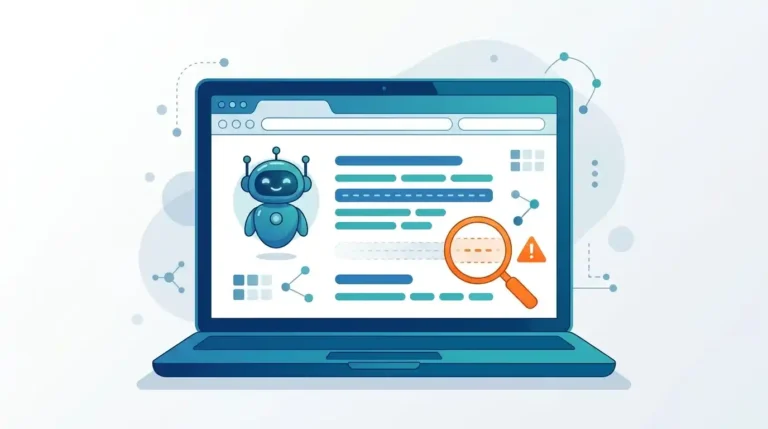
Let the automated checks do their job first, so you’re not wasting time on typos and lint errors. After that, read it like the first pull request from someone brand new. What’s it supposed to do? What’s it assuming about the data? And what happens if a user types something weird into the form? That last question catches more than you’d think.
What are the main risks of AI coding assistants?
Bugs, obviously. But also security holes, a bigger tool bill than you planned for, and developers who slowly lose the habit of debugging on their own. The bugs get noticed. The other three tend to sneak up on you.
How can teams reduce AI-generated code production incidents?
Keep changes small, run your automated checks before anyone reviews, and roll things out to a few users before everyone. Then look at how often releases fail, not only how fast they go out.
Should AI-generated code be tagged in pull requests?
Yes, and it only takes a few seconds. After a couple of months you’ll know whether AI code is saving your team time or creating extra work, and you won’t have to guess.
The Bottom Line
AI coding tools are here to stay, and that’s fine. They really do save time on the first draft. The trouble starts when the team writes code faster than it can check it, and that gap is where most AI-generated code production incidents come from.
So treat whatever the AI writes like a first draft from a smart colleague who joined this morning and has never seen your system. Read it with that in mind, test it hard, and make sure there’s a real person who can explain it when something goes wrong at night. If you’d like help with your review process, or you need engineers who already work this way, talk to the Diginatives team.
Discover more from Diginatives
Subscribe to get the latest posts sent to your email.