
A botnet attack happens when a collection of internet-connected devices gets infected by malware and falls under the control of an attacker. Botnets comprise bots or zombie computers that can perform various malicious activities such as DDoS attacks, stealing data, distributing malware, and more. Botnets can comprise computers, servers, routers, cameras, and other internet-connected devices. CISA has noted the prevalence of botnets that target network infrastructure, including end-of-life routers. Such an attack can involve routers, computers, servers, cameras, and other devices. Some of these devices belong to you, but you might not know that they have been compromised.
What Is a Botnet and How Does a Zombie Computer Network Work?
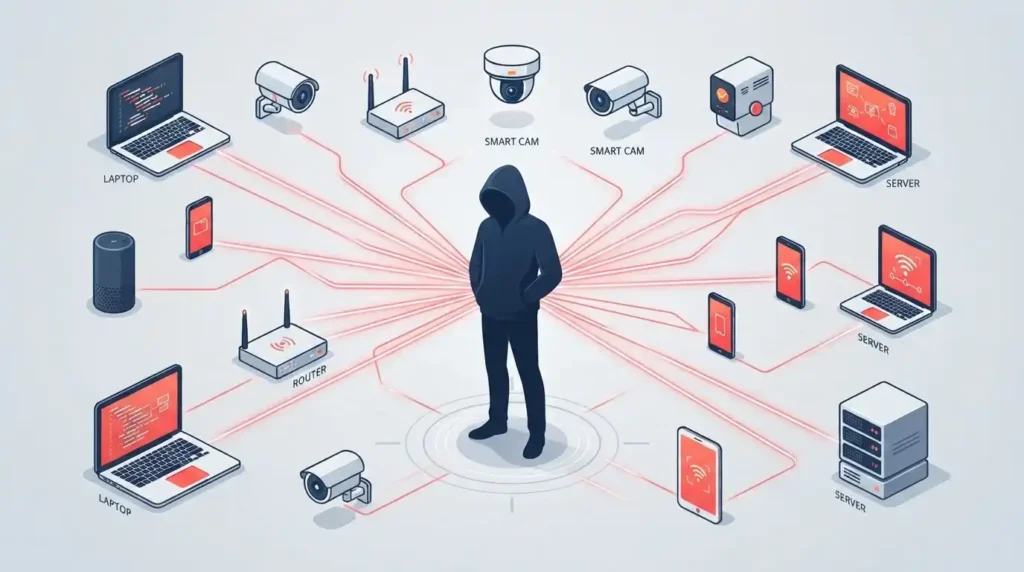
It is a collection of zombie computers. To explain what a zombie computer is, let us imagine that an attacker has infected thousands of computers with malware. The owners of these computers can continue to use their devices, but the attacker has established control and can ask these devices to perform specific tasks. This botnet comprises these zombie computers and is used by the attacker to carry out malicious campaigns. The word botnet is actually a portmanteau of the words robot and network. Individual zombie computers are sometimes referred to as bots, while the entire network is called a botnet.
A botnet can comprise a variety of devices. Some of the examples of bots include:
- Personal computers
- Laptops
- Servers
- Routers
- Cameras
- Network storage
- Smart devices
- Other internet-connected devices
Botnet Meaning: What Does a Botnet Attack Really Involve?
It refers to a network of compromised devices that an attacker can control remotely. These devices may continue working normally for their owners while secretly being used for malicious activities. In simple words, the device owner has no idea that their computer, router, or camera has become part of a larger criminal operation.
The attacker sends commands through a central or distributed control system, and the infected devices carry them out silently in the background. This is exactly what makes the botnet meaning so important to understand it is not just about one hacked device, but about thousands or even millions of them working together under someone else’s control, often without leaving any obvious trace behind.
Why Do People Call Them Zombie Computers?
Computers in a botnet are sometimes referred to as zombie computers. Why is that so? Well, a zombie is a corpse that has been reanimated. By this analogy, a zombie computer is a computer that has been taken over by an attacker. The computer itself is not gone, but some of its resources are being used by the attacker. Sometimes it is easy to tell that a computer has become a bot, such as when it starts slowing down significantly. In other cases, however, there may be no noticeable changes. This is one of the reasons why these incidents are so dangerous. They are relatively easy to deploy because the initial signs of compromise may be subtle.
Modern botnets are also sophisticated, which makes them even harder to detect. For example, Microsoft’s research into Kazuar in May 2026 demonstrated that a modern operation like this could use modular peer-to-peer (P2P) botnets that have multiple C2 channels and use various techniques to obscure their traffic.
In other words, detecting a botnet attack is not as simple as looking for a single suspicious domain.
5 Common Botnet Attack Types and Real-World Examples
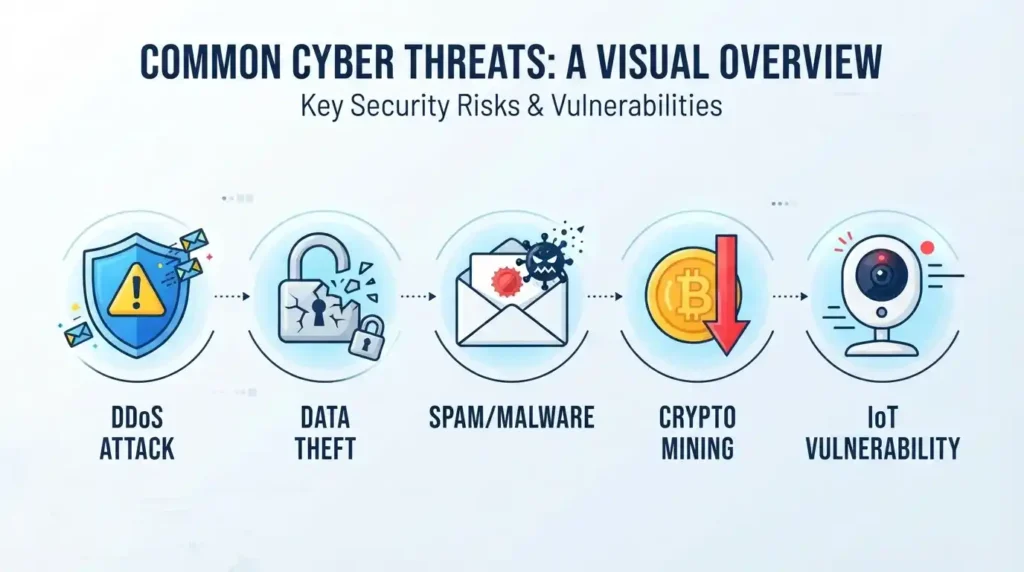
There are several different types of botnet attacks. The activity depends largely on the botnet malware used to compromise the devices. Some malware is designed to steal information, while other variants focus on DDoS attacks, spam distribution, cryptocurrency mining, or maintaining long-term access. This kind of campaign can comprise:
1- DDoS Botnet Attack: The Most Disruptive Attack Type
A botnet can be used to carry out a distributed denial of service (DDoS) attack. In short, a DDoS attack overwhelms a website or a network with traffic, making it inaccessible to users.
A botnet can generate much more traffic than a single attacker could, which makes it a great tool for this kind of disruption. For example, it can overwhelm a website with traffic from thousands of devices, making it inaccessible to legitimate users.
2- Information Theft
Some botnets are used to steal information. In many ways, these botnets are similar to malware because they can be used to steal cookies, browser data, logins, passwords, and other sensitive information. However, a botnet provides attackers with much greater reach and opportunities.
3- Spam and Malware Distribution
Botnets can also be used to distribute spam and malware. For example, compromised computers can be used to send spam emails to thousands of users. In some cases, they can also be used to distribute botnet malware directly, such as phishing links or malicious attachments.
4- Cryptocurrency Mining
Some attackers use compromised devices to mine cryptocurrency. This activity can have several negative side effects, such as making the device slower or noisier. It can also increase the electricity bill if the device is used as a mining rig. However, individual devices typically do not generate substantial rewards.
5- IoT Botnet Attacks: A Growing Threat
IoT botnets are created by compromising internet-connected devices, such as routers, cameras, and more. IoT devices are often insecure, which makes them relatively easy to add to an IoT botnet. The threat is exacerbated by the fact that many IoT devices do not provide any protection or visibility into their operations.
How to Detect a Botnet Attack: Key Signs of a Botnet Infection

Detecting a botnet attack early can save your network from serious damage. Since infected devices often keep working normally, spotting the compromise requires paying attention to subtle warning signs rather than waiting for an obvious failure. Unusual network behavior, unexpected resource usage, and suspicious DNS activity are among the clearest indicators that a device has been compromised. No single sign is conclusive on its own, which is why security teams rely on multiple detection layers network monitoring, endpoint analysis, and DNS inspection to confirm an infection with confidence.
Look for Unusual Network Activity
One of the signs of a botnet infection is that the device starts to exhibit unusual network behavior. For example, a device that is usually only making connections to specific servers might begin connecting to other, suspicious domains. These connections can also be periodic, which is another sign that a device has been compromised.
Look for Unusual Activity From the Device
A botnet infection can cause a device to exhibit unusual behavior. For example, the device might start using more resources, such as CPU, memory, or bandwidth. This activity is suspicious on its own, especially if the device is not known for utilizing these resources. Many legitimate activities can also cause changes in the CPU, memory, or bandwidth usage. The most important thing is to look for other suspicious activities. EDR tools can also help you correlate these suspicious activities across different devices, which is critical for identifying a compromised network.
Examine DNS Activity
DNS activity can also be a great source of information when examining a potential infection. A device that has been compromised can make requests to various DNS servers to resolve domains. In some cases, these domains can be suspicious or point to known malicious infrastructure.
Use Multiple Layers of Botnet Attacks Detection Tools
The most important thing to remember is that no single botnet detection method is foolproof. This is why security teams often combine several botnet detection tools, including EDR platforms, network monitoring, DNS monitoring, firewalls, and SIEM systems. Using multiple layers makes it easier to connect small warning signs and identify a compromised device.
Comparing Botnet Attacks Detection Methods and Their Practical Security Benefits
| Detection Method | What it can reveal | Best use |
|---|---|---|
| EDR | Suspicious processes, files, and endpoint behavior | Investigating compromised computers |
| Network monitoring | Unusual connections and traffic patterns | Finding communication with suspicious infrastructure |
| DNS monitoring | Repeated or suspicious domain lookups | Identifying possible malware communication |
| SIEM | Correlated events from multiple systems | Connecting separate warning signs |
How to Prevent Botnet Attacks and Respond to an Infected Device
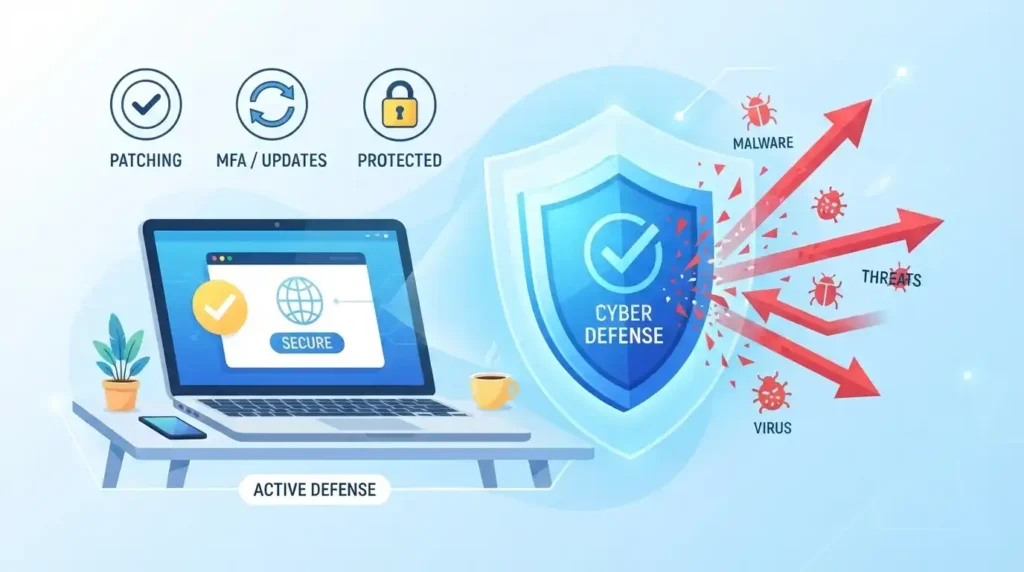
Prevention is always better than cure, which is why you should implement measures to prevent botnet attacks. Botnet prevention typically focuses on making sure that your devices are less likely to be compromised and limiting the damage if they are compromised.
Prevent Botnet Infections Before They Escalate
You can reduce the likelihood of a botnet infection in several ways. First and foremost, you should ensure that your operating systems, applications, and other software are up to date. This will reduce the likelihood that your devices will be compromised via known vulnerabilities.
It is also a good idea to disable unnecessary services and default accounts on your network devices. Where possible, you should use multifactor authentication for all your accounts because it adds an additional layer of security.
Responding to an Infected Device
If you suspect that one of your devices has been infected, the first step is to isolate it. This will prevent the device from communicating with other devices on your network and help you limit the damage.
It is also critical to investigate the incident. You should look at the device to see how it was compromised, what malware was used, whether credentials were stolen, whether other devices have been compromised, and what actions you should take to reduce the risk of future incidents.
It is always a good idea to have an incident response plan that will help you respond to the situation. The plan should help you identify the root cause of the compromise, address it, and take steps to prevent similar incidents in the future.
Deleting a suspicious file is rarely enough to stop this kind of infection because there are often additional persistence mechanisms in place. Ideally, you should remove the malware, examine the system logs, and look for other signs of compromise.
Why C2 Server Infrastructure Makes a Botnet Attack Harder to Disrupt
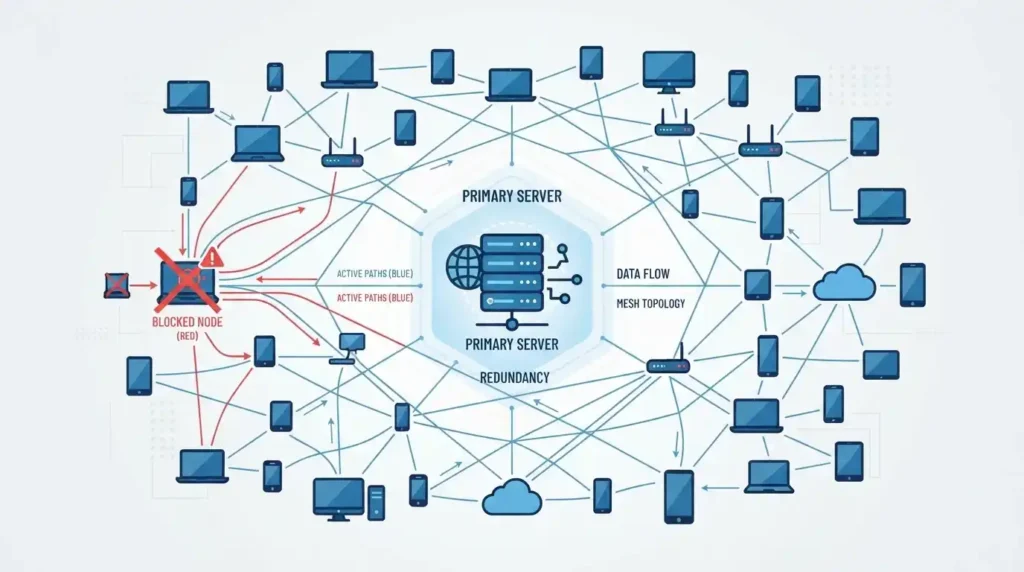
The command and control (C2) server is one of the most critical parts of this infrastructure. It is the server that is used by the attacker to communicate with bots and issue commands. However, there are multiple ways in which attackers can use C2 infrastructure, and most of them are not easy to disrupt.
For example, attackers can use multiple C2 servers, which makes it harder to disrupt the operation by taking down a single server. In some cases, attackers can use peer-to-peer (P2P) communication methods so that bots can communicate directly with each other rather than using a centralized C2 server.
Recent research into the Kazuar botnet in May 2026 demonstrated how a modern campaign could rely on modular C2 infrastructure. This infrastructure used multiple C2 channels and had various communication methods, including P2P communication. Essentially, attackers were using multiple methods to communicate with bots, which made it much harder to disrupt the network.
Conclusion
A botnet attack is much more than a collection of zombie computers. It is a powerful tool that can allow an attacker to disrupt the operations of a business. This is why it is so important to understand how botnets work and how such threats can be detected and prevented.
It is always better to prevent botnet infections than deal with the aftermath. You can reduce the likelihood of infection by keeping systems and applications updated and using multifactor authentication. It is also critical to segment the network to reduce the impact of a potential infection.
Botnets are becoming more sophisticated, as evidenced by the recent Kazuar botnet research. This is why it is so important to use multiple methods to detect a compromise early. For example, you can use EDR tools to look for suspicious processes and network monitoring tools to look for unusual connections. By combining these methods, you can identify a threat in a timely manner.
Frequently Asked Questions About Botnet Attacks and Prevention
What does botnet mean?
Botnet means a network of devices that have been infected with malware and are controlled by an attacker.
What are the signs of a botnet infection?
Some of the signs of a botnet infection include unusual network activity, slow performance, high CPU utilization, suspicious processes, and more.
How do botnets work?
Botnets are created when malware infects devices and allows an attacker to control them. The attacker can then use these devices to carry out large-scale malicious campaigns.
What is a DDoS botnet attack?
It is a distributed denial of service attack that uses botnets to overwhelm the target with traffic.
What are some botnet examples?
Some botnet examples include IoT botnets and mining botnets. One of the most famous botnet examples is the Mirai botnet that was used to launch large-scale DDoS attacks.
Can an IoT device become part of a botnet?
Yes, IoT devices can become part of an IoT botnet if they are compromised.
Can antivirus software detect every botnet infection?
No, antivirus software cannot detect every threat. Businesses should use a combination of EDR, network monitoring, DNS monitoring, and other tools to detect botnets.
Discover more from Diginatives
Subscribe to get the latest posts sent to your email.