Most cybersecurity tips read like a dentist’s leaflet. Floss daily. Use strong passwords. Don’t click weird links. Fine, true, and also the reason nobody remembers any of it.
I took a different route this time. I read the year’s two biggest reports, the FBI’s 2025 Internet Crime Report and Verizon’s 2026 Data Breach Investigations Report (DBIR), looking for answers to one question: which methods do attackers actually use, and which habits shut them down? The results rearranged the standard advice far more than I’d guessed.
Quick heads-up before we get going. You won’t find 40 items here. There are nine, ranked loosely by importance, along with one well-known tip that I’m fine with you ignoring.
Why the old cybersecurity tips need a refresh
Look at the scale first. The FBI’s Internet Crime Complaint Center (IC3) received just over one million complaints in 2025, the first time it crossed that line, and reported losses of about $20.9 billion, up 26% from the year before. The average reported loss per complaint was around $20,700. Phishing and spoofing was the most reported crime type, with 191,561 complaints.
Now the part that surprised me. For 19 years, Verizon’s DBIR listed stolen credentials as the number one way attackers got in. In the 2026 edition, that changed. Exploiting software vulnerabilities, the stuff you fix with updates, took the top spot, at 31% of breaches against 13% for credential abuse.
So “use a strong password” is still good advice. It’s just no longer the whole story, and it’s definitely not the first thing to fix.
1. Install updates faster than feels reasonable
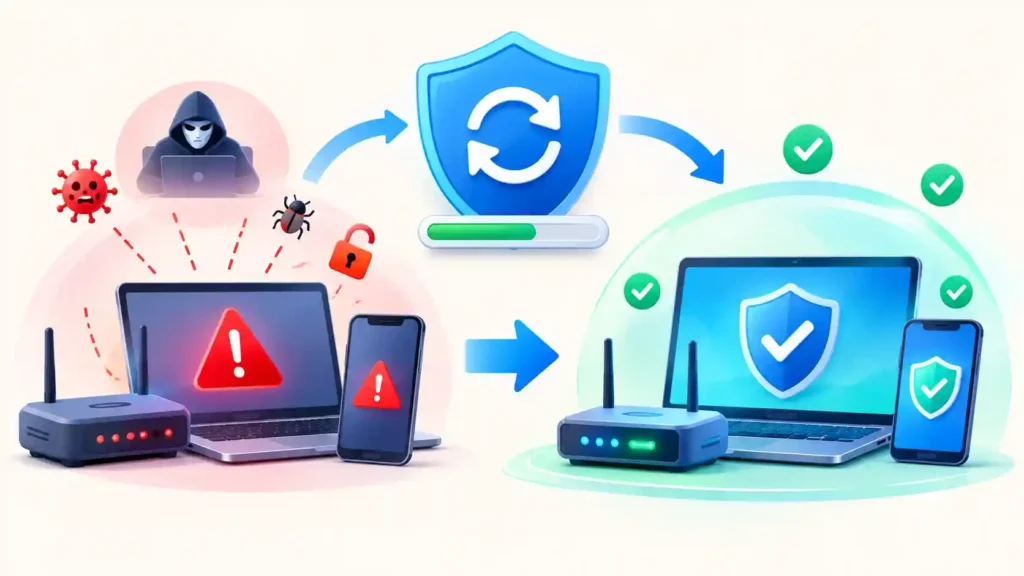
Yes, this tip is dull. I’m putting it first anyway.
Attackers don’t bother with fancy tricks when a known security hole has been sitting open for months. One write-up of the DBIR says only about a quarter of the critical vulnerabilities on CISA’s known-exploited list were patched in 2025. The other three quarters were left open, and that’s how most attackers get in.
Here’s what you can do this week:
- Set your laptop, browser, phone and apps to update by themselves. If a restart prompt shows up, restart. You’ve already put it off till Friday five times.
- Check your router for updates, at home or at the office. It’s the device everyone forgets, which is why attackers like it.
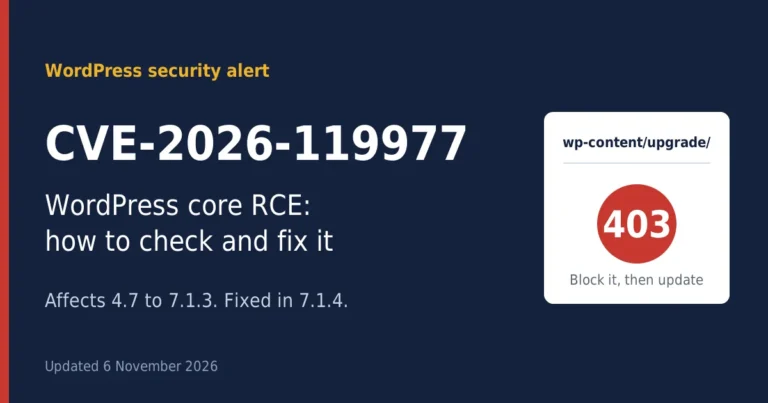
- Running a business site? Update the CMS, the theme and all the plugins. A WordPress plugin from 2022 that nobody has touched since is easy to exploit.
- Uninstall software you don’t use anymore. If nobody updates it, it’s just an open door.
2. Move from passwords to passkeys (or at least an authenticator app)
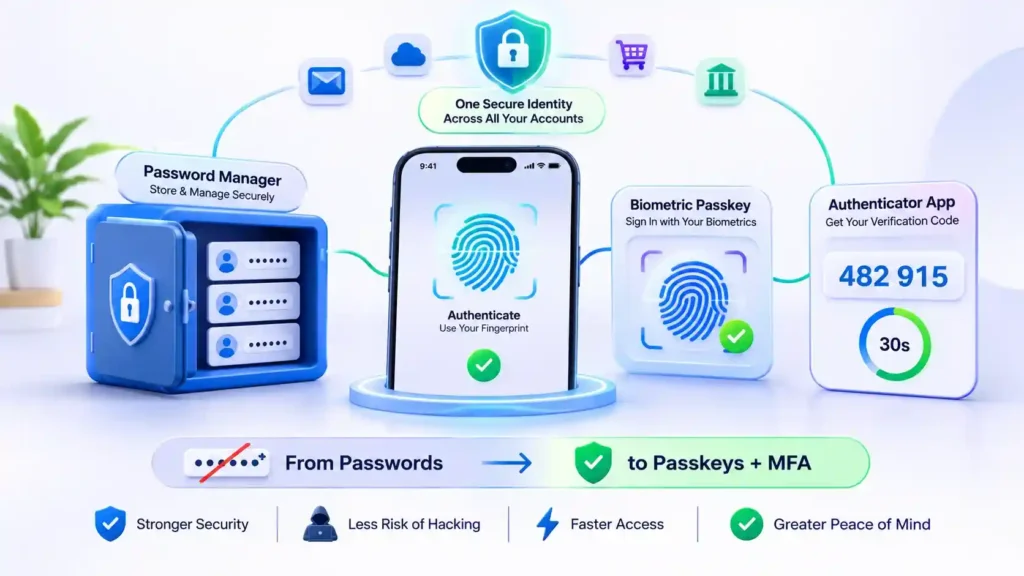
Passwords still count, since stolen logins show up in most breaches. Still, a smarter password won’t solve it. The better fix is to get rid of the password altogether, so there’s nothing left for anyone to steal.
That’s what passkeys do. Google, Apple and Microsoft already support them, and so do more and more banks and online shops. A passkey is a cryptographic key stored on your device and unlocked with your fingerprint or face. Since you never type anything, a fake login page has nothing to fool you into handing over.
If a site doesn’t offer passkeys yet:
- Using the same password on several sites is asking for trouble. If it leaks once, five of your accounts can fall together. A password manager fixes this. It remembers a different long, random password for every login, so you don’t have to.
- Next comes MFA, the second check at login. An authenticator app or a hardware key is the stronger choice. Text codes aren’t perfect, but I’d still take them over having nothing.
- Lock down your email, bank and cloud storage before anything else. If someone gets into those, they can reach almost every other account you have.
3. Slow down when a message creates urgency
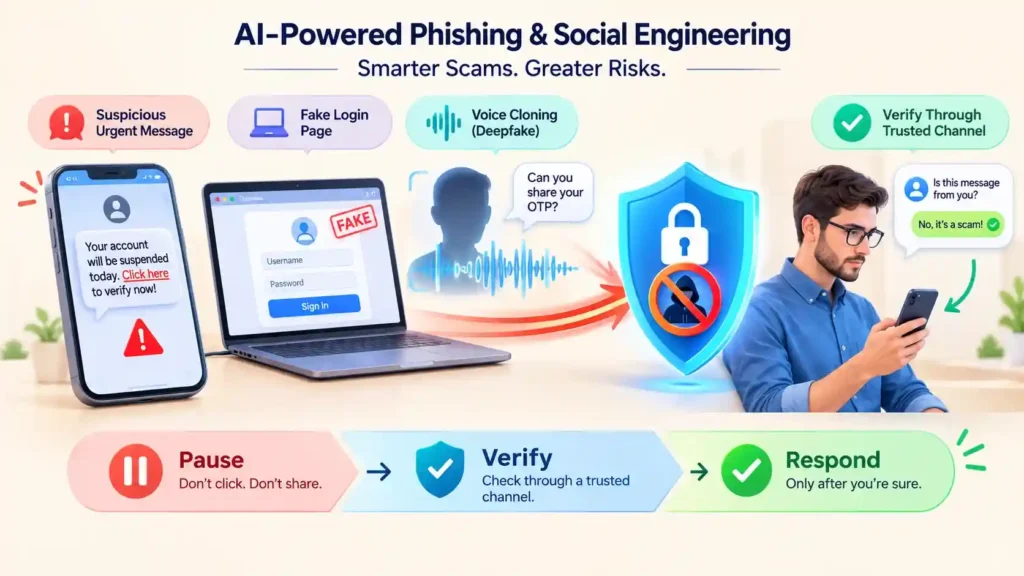
Almost every scam works the same way: it gets you to act before you’ve had time to think. That’s why this habit does more than most technical controls.
Take the FBI’s numbers on government impersonation scams. Complaints jumped from about 17,400 in 2024 to about 32,400 in 2025, which is close to double, and the money lost rose from $406 million to $798 million. There’s something new too. For the first time, the FBI counted AI-related complaints separately. That group already adds up to 22,364 complaints and roughly $893 million in losses.
There’s a good reason AI matters in all this. Bad grammar and “Dear Customer” greetings used to give scams away, and those clues are fading. Today a scam email can read just like it came from your boss, and a phone call can pass for your daughter’s voice.
Forget squinting at a message to see if it looks fake. A few habits do the job better:
- When a message pushes you with “now”, “urgent” or “your account will be closed”, stop and wait a minute. That push is the red flag.
- Skip whatever link or number the message gives you. Open the real app yourself, or dial the number on the back of your bank card.
- Agree on a secret word with your family. It can seem silly, until a crying voice on the phone begs you for cash.
- Got a request at work to change bank details or send an unusual payment? Phone the person on a number you already have. Business email compromise took over $3 billion from victims in 2025, and it works because it looks like everyday paperwork.
Here’s a fair test. It’s 5:45 on a Friday evening and you’re exhausted. Would you still notice?
4. Keep backups you’ve actually tested
Ransomware showed up in 48% of breaches in the 2026 DBIR, and small and mid-sized organizations made up the vast majority of ransomware victims. The cheerful finding: roughly 69% of victims didn’t pay.
The ones who didn’t pay mostly had one thing in common. They could restore their data.
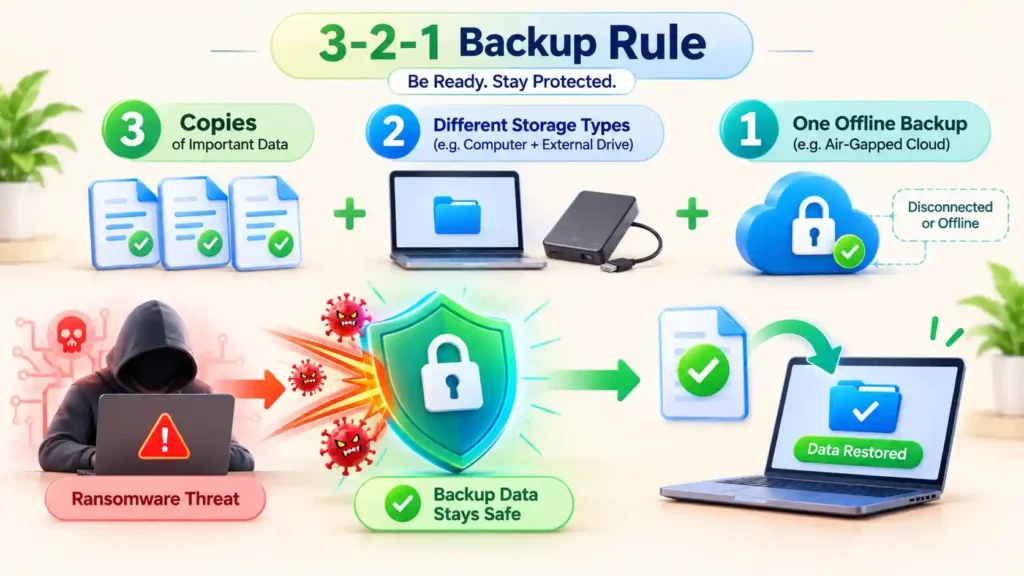
The simple version is the 3-2-1 rule: three copies of your data, on two different types of storage, with one copy kept offline or somewhere ransomware can’t reach. Then do the part everyone skips. Restore a file from the backup once, just to see that it works. A backup you’ve never tested is a hope, not a backup.
5. Be careful what you download
Where do stolen passwords come from, if not guesswork? Often from infostealers, malware that quietly grabs saved logins and session data from a browser. One analysis of the DBIR data found that about half of the ransomware victims with stolen credentials had those credentials taken within the 95 days before the attack. The theft happens first, quietly, and the ransom note arrives later.
Infostealers typically arrive through cracked software, fake “free” tools, sponsored search ads that look like the real download page, and fake browser update pop-ups. A few rules cover most of it:
- Download software only from the vendor’s own site or an official app store, and type the address yourself if you can.
- Skip cracked games, pirated tools and “free premium” anything. The price is paid in stolen logins.
- Don’t treat the browser as a vault for everything. A dedicated password manager is a better home for credentials.
6. Give every account and device the least access it needs
A small business example makes this clear. If every employee is an admin, one phished laptop gives an Picture a small business where every employee is an admin. One phished laptop hands an attacker the keys to the whole network. Make only two people admins and the damage ends at a single machine.
The same idea works at home and at work:
- Do your daily tasks on a standard account without admin rights. Switch to the admin login only when you need to install something.
- When someone leaves a team or the company, take their access away. Old accounts are a common way in.
- Disable any remote access tool you aren’t using. Remote desktop left open to the internet has been a favorite way in for years.
- Close accounts you haven’t opened in a year, and delete the apps you haven’t touched either.
7. Watch your vendors, not just yourself
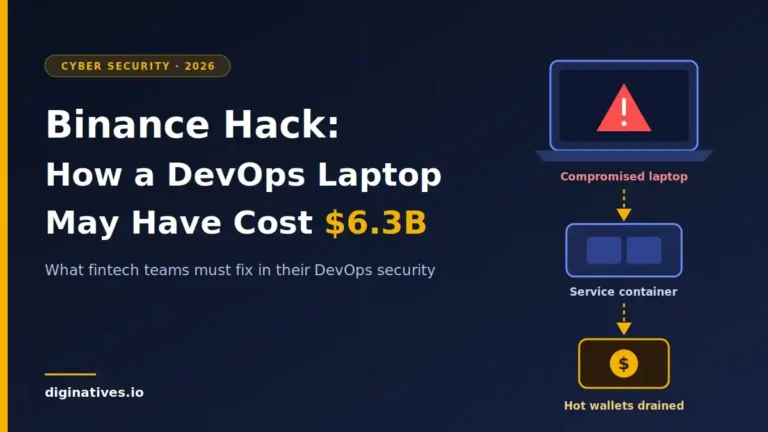
This is the tip most small teams don’t think about. The DBIR also flagged third-party risk, noting that only about 23% of third-party organizations fully fixed missing or poorly set up MFA when it was pointed out to them. Your data is only as safe as the weakest company that holds it.
Before you hand a vendor access to your systems or customer data, ask three plain questions. Do they use MFA? How do they handle updates? What happens, and how fast do they tell you, if they’re breached? A vendor that struggles to answer is giving you the answer.
8. Make one person responsible, and have a plan
Not a 40-page policy. A single page that says who you call, who can shut down a compromised account, and where your backups live.
If something goes wrong, report it. In the US that means the FBI’s IC3 (ic3.gov) for internet crime, and your local cybercrime authority wherever you are. Reporting won’t always get money back, but it feeds the data that tells the rest of us what’s going on.
And tell your bank quickly if money moved. Speed matters far more than perfect details.
9. Train people the way you’d train a habit, not a test
Sitting through one slideshow a year won’t change how people act. Small, regular drills built on real examples will. Show the team a phishing email that actually reached your inbox last month and spend five minutes on it. Drop a quick “would you click this?” into the team chat now and then. And set a firm rule that no one gets blamed for flagging something suspicious.
What you want is for speaking up to feel easy and routine. Say someone writes at 9 am, “this looks odd, can someone check?” That one message can save you more trouble than any tool you could pay for.
The Cybersecurity Tips you can mostly skip: obsessing over public Wi-Fi
You’ll see “never use public Wi-Fi” on every list. It made sense when most websites sent data in plain text. Today almost all major sites and apps use encryption, so the café Wi-Fi risk is much smaller than it used to be. Be sensible, don’t log into your bank on a network you don’t trust, but don’t spend your worry budget here. Your time is better spent on tips 1 through 3.
Your one-hour cybersecurity checklist
If you do nothing else after reading this, do this:
- ☐ Turn on automatic updates on your phone, computer and browser
- ☐ Install a password manager and change your email and bank passwords first
- ☐ Switch on passkeys or app-based MFA for email, banking and cloud storage
- ☐ Set up a backup and restore one file as a test
- ☐ Pick a family code word and a company rule for verifying payment requests
- ☐ Delete apps and accounts you no longer use
Six items. Under an hour. Better protection than most people have.
Frequently asked questions about cybersecurity tips
What is the single most important cybersecurity tips?
Keep everything up to date. According to Verizon’s 2026 report, attackers most often got in by exploiting software flaws that were already known, and updates are the thing that closes them. Add MFA to your email and you’ve dealt with a big chunk of the risk.
Are passwords still enough in 2026?
They fall short by themselves. A password manager can give every account its own password, and MFA adds a second check. Wherever a service supports passkeys, use those instead.
How do I spot an AI-generated scam?
How a message looks or sounds doesn’t prove much anymore. What matters is what it wants you to do. Be suspicious if it hurries you, asks you to keep quiet, demands gift cards or crypto, or tells you to skip the normal steps. If you spot any of that, contact the person or company yourself, using a way you already know is real.
What should a small business do first?
Patch everything, turn on MFA, and set up tested offline backups. Small organizations make up most ransomware victims, and these three steps address how most attacks start and how most recoveries succeed.
What should I do if I think I’ve been hacked?
Change the password for the affected account from a clean device, turn on MFA, check for unknown logins or forwarding rules, tell your bank if money is involved, and report it to the FBI’s IC3 or your local authority.
Final thought
Boiled down, the 2026 data says this: attackers go for whoever is easiest to hit, so you want to be a hard target. Install updates as they come out. Protect your logins. If a message tries to rush you, wait before you answer. And keep a backup you’ve tried restoring at least once. Once those four are done, whatever else is on the usual checklist is extra.
Discover more from Diginatives
Subscribe to get the latest posts sent to your email.