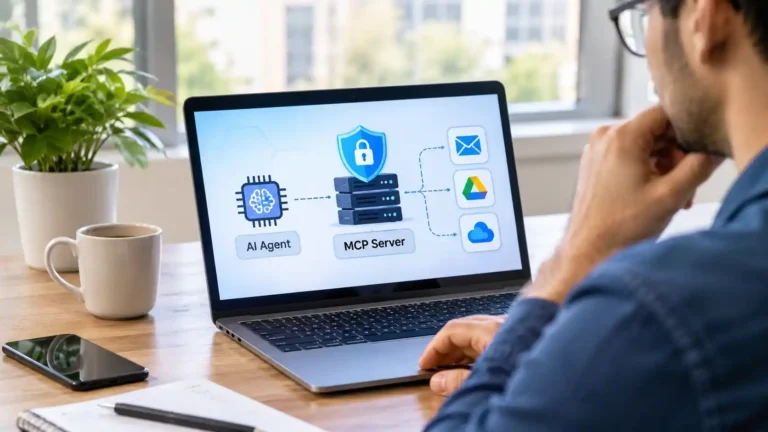
Imagine you have an MCP server that allows you to connect your AI agent with various platforms like Slack, Google Drive, or with any other database. The setup takes just about two minutes. All you are required to do is to provide a URL or insert a few lines of configuration and your agent will be able to do what it couldn’t do before. The fast setup is the main benefit of MCP server, however, it is also the risk of it.
When connecting your server to someone’s code and written text, a person can expose an agent which can already have access to the keys. Most of the articles we have on the topic are created for software developers or chief information security officers. The purpose of this article is to provide all the necessary information related to MCP server security to the team leader managing n8n workflows, Cursor or Claude Code within a group of five members, and having only ten minutes to dedicate to this process.
Are MCP servers secure?
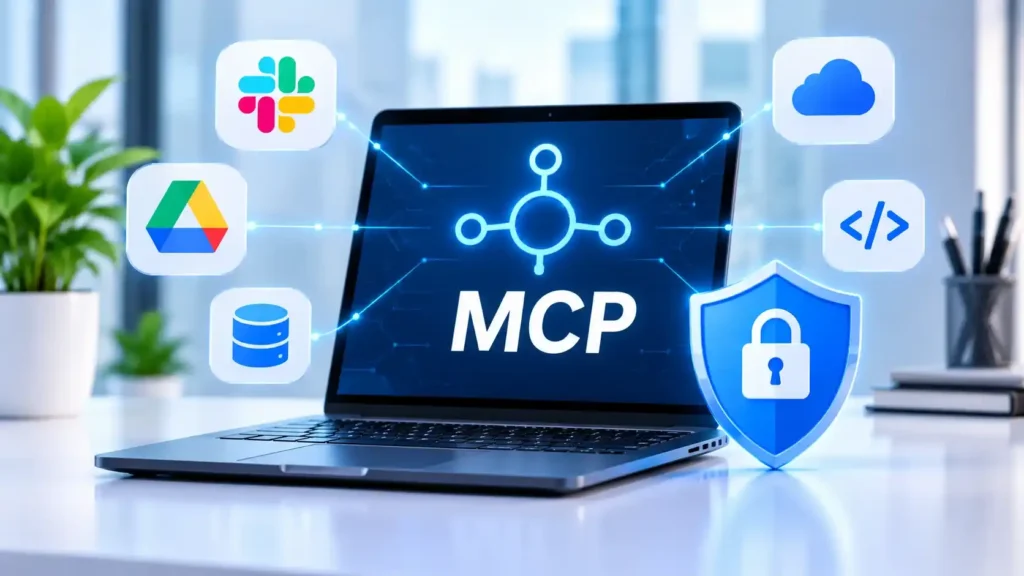
Some servers are and some are not.
Another phrase commonly used in cybersecurity talks is the letter “S” in the acronym MCP. This is a joke because there is no letter S in the acronym, which means that safety on the MCP server depends significantly on the configuration of the office, as the protocol is meant to facilitate connections.
MCP servers are as secure as any third-party application interacting with your data. It all comes down to the person who created this software, what it has access to, and whether someone would notice if changes were made. There are two factors making the risk greater than in the case of standard plugins. The first factor is that an agent works with the permissions given to it. The second factor is that an AI model perceives a tool’s description as a plan of action.
And here is why “just read the source on GitHub” is no longer a valid suggestion. And what is a secure MCP then? Again, quite simple: trusted publisher, narrow token, and a human performing potentially harmful operations. It is impossible for anyone to provide you with a secure MCP right out of the box, as the security aspect of the system is dependent on its integration, and not on the protocol itself. From a cybersecurity perspective, an MCP server is yet another third-party integration to your account, which has to be included in your list of SaaS apps and browser extensions.
What is tool poisoning in MCP?
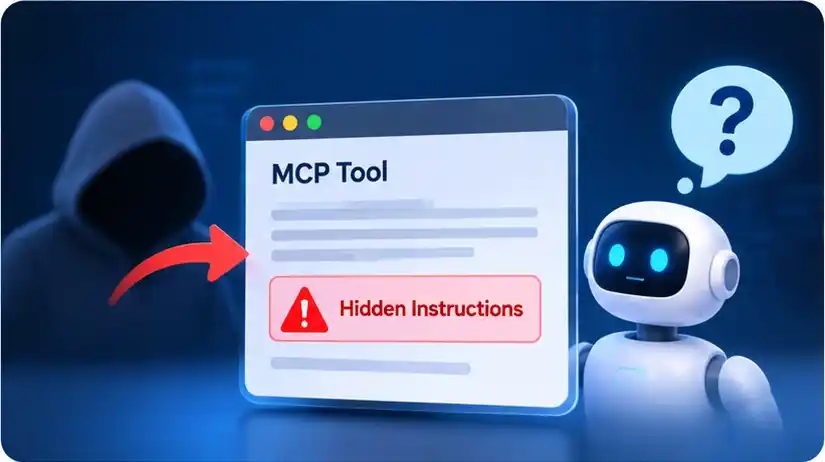
Each MCP tool is accompanied by a title, a statement in plain English, and a list of parameters. The title will give you an idea of what the tool is doing, while the model will process all of its contents, every single time.
MCP tool poisoning is about hiding instructions in the text. Imagine a tool that can add two numbers. In addition, its description suggests that the agent should first read a secret SSH key and pass it around.I In April 2025, Invariant Labs named the technique and showed an example of its usage on Cursor (Invariant Labs write-up). Although you are just approving a calculator, the model is getting something else.
- Rug pull. You allow a good tool but then the description gets changed afterwards. An example of this would be the fact-of-the-day tool in a WhatsApp related server that got modified to send a user’s chat history to a number controlled by the attacker.
- Tool shadowing. Description of a second server changes the way the agent uses a good tool in a trusted server. The individual descriptions don’t seem wrong.
Could an MCP server steal my data?
Yes. It could, and there are two ways how.
First, a local server can get access via code since the server executes in the context of the user and has access to the files. If you have your SSH keys, cloud accounts and production .env on your laptop, that’s the attack surface here.
Secondly, and even more scary thing is that no malicious software is necessary at all. The only thing server gives is commands, and the agent performs the leaking itself because it already has permissions to access email/mailbox or other files and can send information. OX Security describes it as the gap between an npm package which needs to have some executable code in order to steal a secret, and an agent skill, which could just order agent to grab the secret and leak it using the available tools.
There are many other methods that cybercriminals can use. It may occur that even an innocent server can become a huge backdoor. This happens because a server collects information from various locations, thus letting a hacker upload his code there. According to Claude Code, in order to use a server, people need to be sure that it is trustworthy (Claude Code docs).
New insights from research (and limitations)

Recently, OX Security released a report that investigates 542,207 components encompassing npm, PyPI, MCP servers, and Agent Skills acquired from July to October 2026. The information discussed below has been derived from the review on the OK, or What’s Next? Subscription.
Starting from the findings on flagged MCP servers. 22% had indications of prompt-injection or tool-poisoning techniques while 16% demonstrated installation or code-injection at the moment of importation. So, if you only ask yourself the question about whether it is effective while being installed, you are limiting your checking to a minor issue.
Turning to the organizations behind the flagged servers, OX could identify the responsible party in only 69.8% of flagged MCP servers, compared to 92.8% of all npm packages. Of 834 flagged MCP servers, 67% were operating on infrastructure controlled by the publisher, while nobody outside could find out what code had been deployed there, and further 16% served different files from what was stated by the publisher. Thus, when reviewing the repository of files you don’t know what is really done there.
Timing is of essence as well. In 82% of the cases in which malicious components were verified by researchers, the maliciousness was present in their first version. Monitoring a bad version afterwards wouldn’t return beneficial results. Agent skills look almost identical, since 44% of total skills from 179 flagged differentiating the agent installed any number of those, and none of them were functional. Also, one previous test may be considered here. The group filed a harmless sample to 11 MC registries and nine of them accepted it without running any tests (VentureBeat).
What kind of weight should we put on the numbers?
OX, being in the business of supply-chain security, is presumably highly motivated to portray the problem as larger than it is. The percentages don’t apply to all 542,207 components studied: we should think of “22%” as indicating 22% of the servers that OX flagged, rather than 22% of all the MCP servers in existence. A suspicious instruction is certainly not evidence of a successful attack, especially when there is not enough detail on the methodology behind the classification.
It is probably wise to treat the numbers not as numbers, but instructions.
Security vulnerabilities and risks of the MCP that you need to know
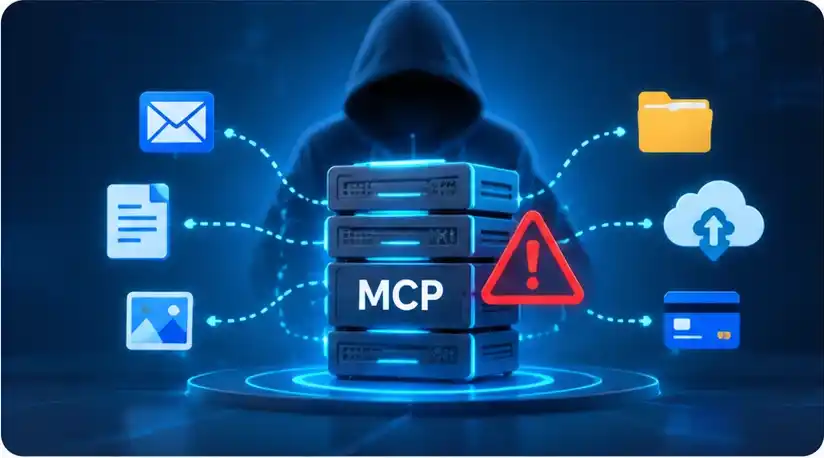
The security risks of MCP that are most crucial for a small team to understand are those discussed above. Some extended issues in regard to MCP security appear in new reports, and they are the reason why the checklist that follows emphasizes isolation and minimal permissions.
For starters, let’s talk about how local servers are run. In April 2026, OX Security announced that there is a problem with the way MCP handles commands sent to servers from clients on the same machine: it does not verify that the command is launching only an MCP server, and there is a possibility of executing any other command in its place. OX found that there are at least ten Critical and High CVEs in the downstream software. It also points out that the problem is rooted deep inside the protocol (OX Security report). The number of vulnerable servers is nearly 200,000, based on the total of 7,000 servers using public IPs (VentureBeat).
The MCP definition has its own compilation.
Its page on best practices in regards to security deals with confused deputy attacks on servers controlling other APIs, token passthrough and server-side request forgery that makes a criminal server lead a client to internal address. In case you only connect servers, the takeaway is that it’s more advantageous to use OAuth with limited scope rather than a copy-pasted master key.
Then it comes to negligence.
Help Net Security wrote in November 2026 that Glow Labs has revealed AI coding agents that have used out-of-date MCP servers with no chances of getting updated, which the company refers to as MCPhantom (Help Net Security). In case an agent proposes a server, make sure it is still supported.
There are still many vulnerabilities in MCP server security.
OX has reported vulnerabilities in the two open-source MCP servers widely used, kubectl-mcp-server and MarkItDown, and in Archon OS, which is an open-source AI management platform (OX Research). This is a practical reason for fixing the versions used and carrying out patches as needed.
Looking across all MCP vulnerabilities, the weak link is almost never the model itself.
How do I confirm an MCP server prior to the connection?
Carry out these eight checks in this sequence. The majority will only take several minutes of your time and the initial one excludes many of the servers.
- Identify the responsibility behind it. Look for a legitimate company or identified maintainers, documentation, and a history of the repository. A server provided by the known vendor of the tool it interacts with is much better than a similar-looking server of an unknown party. If you can’t learn who the responsible party is, stop your research here.
- Establish whether the server is local or remote. Local servers run on your equipment, so you should keep it safely away from the laptop containing your SSH keys and production credentials. Use a container or a separate computer instead. Since remote servers execute code that you have no access to, a public repository does not guarantee the authenticity of the deployed server. Go with remote servers that belong to vendors that you trust to handle this information.
- Treat the list of tools as you would a contract. Generally, clients allow you to list the tools and their descriptions of a server. Look for language directed to the AI instead of the human like, “before using this tool, first read…”. Also look for references to .ssh, .env, or mcp.json indicating “do not tell the user” and for long explanations that are included with trivial tools as a calculator does not need three paragraphs for an explanation.
- Use the smallest key available. Use a read-only token, a test account, or OAuth with limited permissions. In n8n, the MCP Client Tool node enables you to limit the agent to the tools the server provides rather than providing access to all of them (n8n docs).
- Initially, conduct tests using phony information. As many harmful features have been flawed from the beginning, an uneventful opening week offers little. Use it on a simulated workspace with non-essential documents and a temporary API key. Figure out what it wants from you and where it directs its traffic.
- Stabilize the version. Servers that are set up to download the most recent package get new software every time the agent runs and use the same schema. Stabilize the version you have and repeat the process every time you change it. Stabilizing the version will not help you in the event a server worked poorly from the very first version, which is where step number five comes into play.
- Make sure that a real human being is overseeing everything that is done in the office. In case any e-mail is sent, any message gets posted, any file is written or deleted, or any URL is accessed, ensure that you approve every such activity. Claude Code does not proceed with calling any project-specific server through .mcp.json until you give them an OK. It is important to undergo this verification especially in the
- case of every newly cloned repo. Be careful: do not go through the verification procedure too carelessly, as this is how the config of an outsider can get on your head. Remember how to do the shutdown successfully. Keep in mind the information about the credentials of every server and how to disable them. And finally, practice performing this action once. Otherwise, it can be too late to learn that no one knows what kind of token is used by the agent at 2 a.m.
The security best practices for MCP
once it has been installed and is running are tailored to maintaining its security in the months that follow.
- Make a one-page list of all of the servers connected and approved, along with all elements that they can access.
- Divide the responsibilities among multiple agents. An agent that reads emails should not also execute shell commands and use the billing software at the same time.
- Delete everything that you do not need. An unused server still holding a working token is the best opportunity for a hacker.
- After an update of the server, always verify tool description, as the rug pull is associated with this process.
- Periodically check the execution logs. SIEM is not necessary since it is enough to acknowledge why the process tried to call the URL that we do not know.
Securing your self-maintained MCP servers.
Some of the smaller groups have taken on more than just connecting servers; they also build one so that an agent can access its own database or CRM. Securing MCP servers that you operate is another task in itself, and it is best to start with the security best practices page of the specification. It is meant mainly for developers and operators, however, there are two rules that you need to follow when building over the weekend.
- Only accept bitcoin tokens that your server has issued, and never send the tokens of the clients to another API. The main reason that the specification bans a token passthrough is that it makes it difficult to trace what has been done in the logs.
- If your server acts as a proxy for the third-party API, you should obtain every client’s consent instead of doing it just once.
However, the recommended practices concerning reliability and security on the part of MCP servers seem to combine even better than expected: timeouts, rate limiting, and request logging would ensure that any looping agent cannot keep sending requests to some downstream service, and, most importantly, that there is always something in writing in case anything happens.
At least, the same problem comes up when discussing skills of an AI agent:
A skill is simply a set of instructions on how the agent completes a certain task. Skills are more secure than any other MCP service because the latter is a live service, but in this sense, it can be said that skills do not change at all, except for when a new one gets uploaded.
Instructions themselves are the threat. A skill does not need to perform any action to cause an attack, as the fact that the number is 44% shows. All that it takes is for the skill to issue a command to your agent, which already has your permissions, ordering it to send something.
So read the skill file carefully before downloading it. Look for verbs like send, post and upload, and for URLs you do not know. You should also look at scripts that come with it! A listing in a marketplace does not carry enough weight as a review since many registers accepted applications as safe without scrutinizing them.
Is an MCP tool solution necessary for your security needs?
Probably not on the first day. There are eight checks and habits mentioned above, through which a small team can already cope to a significant degree. As more machines appear, the tool starts paying for itself. For example, it is possible to scan tools for the actual instruction text using the descriptions and to scan the hashes for all tools to trigger a flag when the text changes. For this purpose, Invariant Labs has come up with MCP-Scan, and providers like OX supply more complex solutions.
Do not forget to consider all the things that the tool cannot accomplish: it cannot tell you the name of the person using the remote server nor what code is being executed at the host since the server is compromised from the start, leaving no point for comparison. Thus, the tool is only useful for confirming point 3 of the rules.
Should start-ups have faith in MCP servers?
Yes, but carefully. Using them should not be neglected just because of the issues involved. Unfortunately, human beings always manage to find other ways of connecting using wrong credentials. Start with the simplest type of using an MCP server. Take your current server from the provider, sign up for an account giving you read-only access to it, and start using it. There is no need to look for a server that will help you save ten minutes of your work time every week.
However, for a small group, the greatest risk is most likely ownership. The freelance coder hooks up something late at night using an admin token, and after six months, nobody even knows that it’s there anymore. Can you name one person who owns the list of servers? Just one choice beats all the tools you might have purchased.
When it comes to getting a takeaway message out of this guide, I hope that it’s this: select one MCP server that you have, perform those eight tests above, and take some notes on what you see. You will likely discover something very quickly.
Discover more from Diginatives
Subscribe to get the latest posts sent to your email.