Most cloud breaches don’t happen because a brilliant hacker found a zero-day vulnerability. In reality, most incidents come from an insecure storage bucket, an administrator account with no MFA, or an access key that has been sitting in a GitHub repo for three years.
That’s the uncomfortable truth behind the majority of cloud breaches. The incidents are boring, and so is preventing them. So this guide doesn’t give you theory. It gives you practical cloud security tips you can apply in the right order, whether you run a small business on AWS or a complex multi-account, multi-cloud environment with hundreds of engineers.
By the end, you’ll know what to do now, what can wait, and how to set your priorities.
What Is Cloud Security?
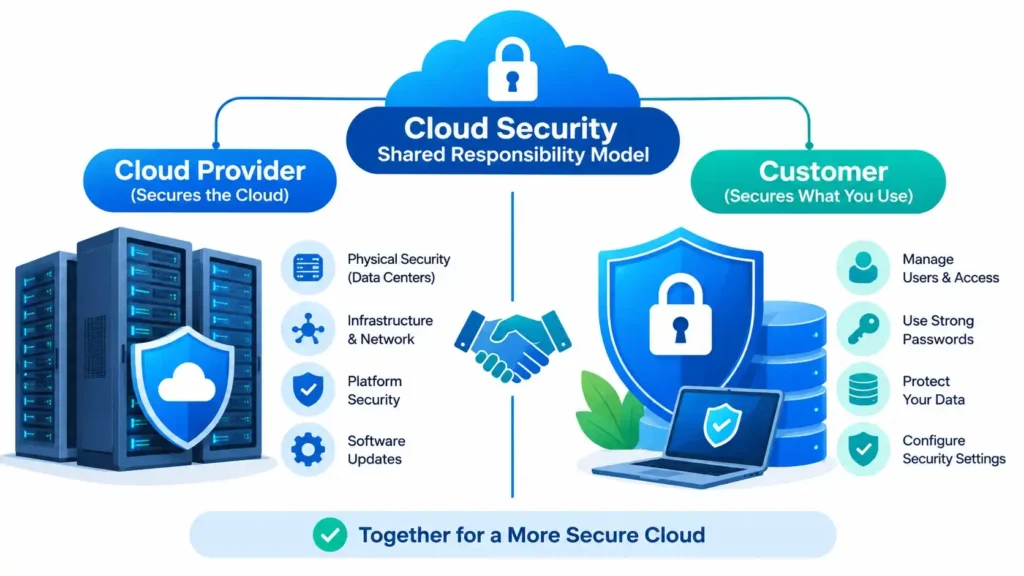
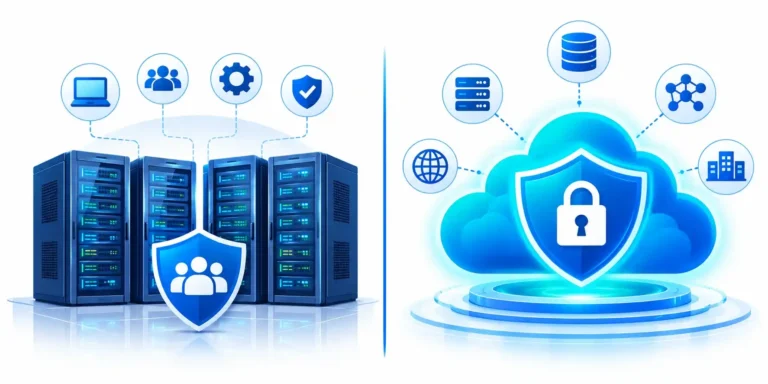
Cloud security is a combination of techniques, policies and best practices that protect cloud-based data, applications and infrastructure from unauthorized access and threats.
One thing about it confuses a lot of customers. Moving your applications and infrastructure to AWS, Azure or Google Cloud does not hand the responsibility for your data’s safety over to the provider. You share that responsibility with them.
The Shared Responsibility Model in One Table
| Area | Cloud provider | You |
|---|---|---|
| Physical data centers and hardware | Yes | No |
| Hypervisor and core network | Yes | No |
| Identity, access and keys | No | Yes |
| Your data and its encryption | No | Yes |
| Configuration of services | No | Yes |
| Monitoring, response and backups | No | Yes |
What does this tell you? Anything the provider can’t see, because it depends on your own settings, is your job. If a company is breached because of a misconfigured bucket, the provider won’t be the one explaining it to the regulators.
Why Cloud Security Matters Right Now
A few numbers from IBM’s 2026 Cost of a Data Breach Report make the point clearer:
- The global average cost of a data breach is a record $4.99 million, up 12% from 2025. In the US, it’s a record $11.5 million.
- It takes about 247 days on average to identify and contain a breach.
- Breaches involving data spread across public cloud, private cloud and on-premises systems cost $5.39 million on average, and public cloud breaches cost $5.38 million, compared with $4.56 million for on-premises-only breaches.
- Breaches found by internal teams took 209 days to identify and contain, compared with 268 days when the attackers disclosed them.
That last point deserves a second look. Breaches that last more than 200 days cost $5.65 million on average, compared with $4.32 million for those contained sooner. Fast detection saves real money, and in the cloud, fast detection comes from the logging and monitoring you set up before a breach happens.
Start Here: The Four Things to Fix First
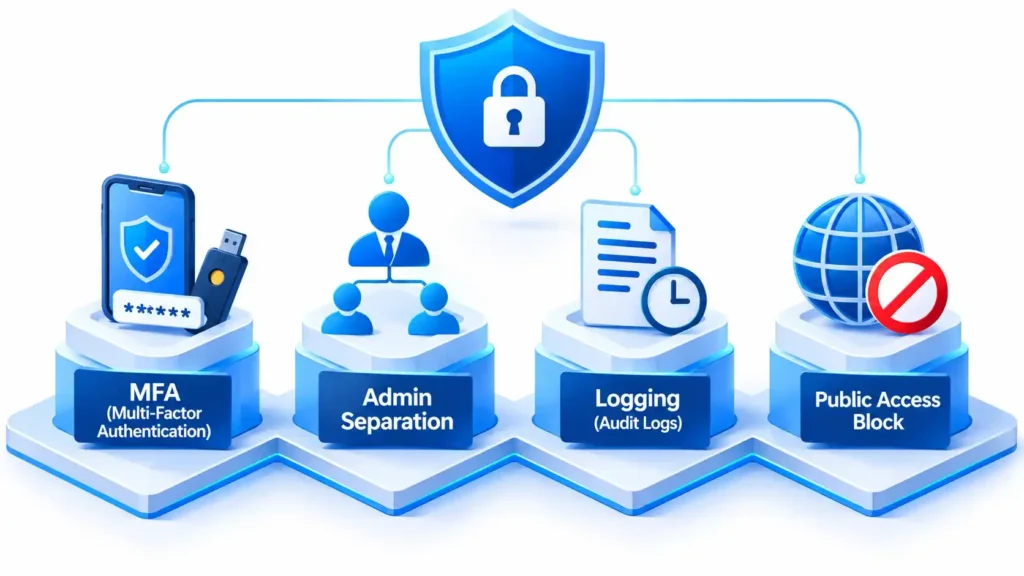
If you do nothing else, do these four. They’re cheap, simple and block most common attack paths.
- Set up MFA for all accounts, starting with root and global admin accounts.
- Don’t use root or global admin accounts for daily work.
- Turn on audit logging in every region.
- Remove public access from any storage and database you didn’t mean to make public.
A cloud breach usually follows a chain: a compromised resource, stolen credentials, privilege escalation, then unauthorized access to data. If one link in that chain fails, the attack fails. That’s why layering several controls works better than relying on one tool.
15 Cloud Security Tips That Work
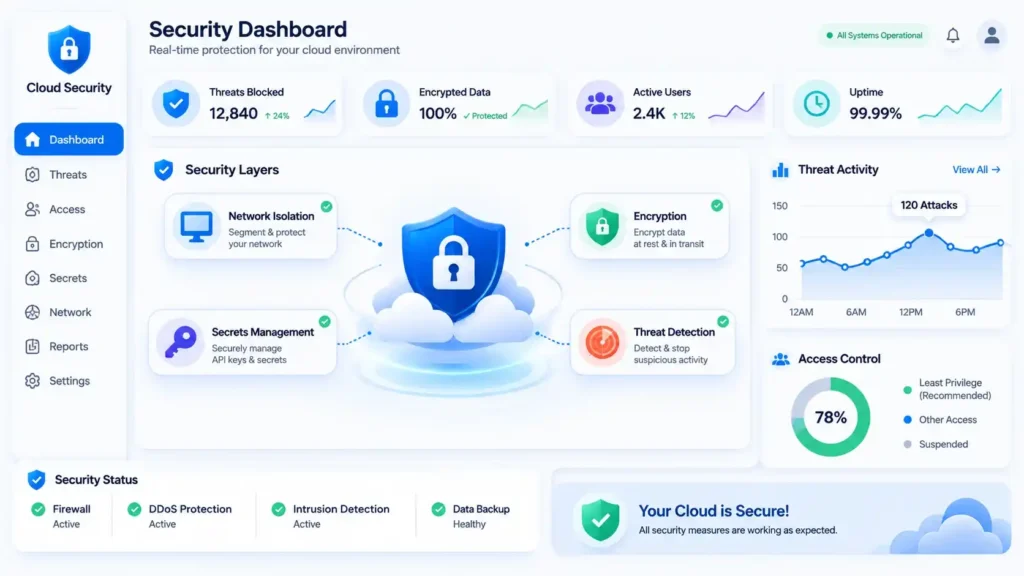
1. Use Phishing-Resistant MFA
Credentials stolen through phishing are still one of the most common ways into a cloud account. According to Microsoft, MFA stops more than 99% of automated account-takeover attempts. IBM’s 2026 report also lists identity and access management, which includes MFA, among the biggest breach-cost reducers, at about $225,000 per breach.
SMS codes are better than nothing, but they can be intercepted or socially engineered. Admins and anyone with production access should use authenticator apps, passkeys or hardware keys like YubiKey. Session token theft and MFA fatigue attacks are real, so don’t assume MFA solves everything.
2. Secure Your Root Accounts
Root and global admin accounts can do anything, including locking you out of your own account or creating backdoors. Keep their credentials in a vault, set up alerts for any sign-in, and create separate named admin roles for everyday administration. If your root account is active more than once or twice a year, that’s a red flag.
3. Apply Least Privilege and Review It Every Quarter
Here’s a common problem. A developer asks for some permissions, someone grants AdministratorAccess to make things easier, and a few months later nobody remembers it. That developer now holds a skeleton key to your environment. Give people and services only the permissions they need, and avoid wildcard (*) permissions in production.
Use the tools your cloud provider already offers: IAM Access Analyzer on AWS, Access Reviews in Microsoft Entra, and IAM Recommender on Google Cloud. They help you find unused permissions. And don’t forget third parties. Managed service providers and contractors with admin access should have time-limited, logged access.
4. Find and Fix Misconfigurations Before Attackers Do
Public storage buckets, security groups open to 0.0.0.0/0, databases exposed to the internet and default passwords are common problems in every cloud. Attackers’ scanners can find them within hours of exposure, and often faster.
Block public storage access at the account level, and use a cloud security posture management (CSPM) tool such as AWS Security Hub, Microsoft Defender for Cloud or Google Security Command Center. That way you check continuously instead of only at audit time.
5. Turn On Logging From Day One
Without logs, you can’t detect an incident or investigate it. Enable CloudTrail, Azure Activity Logs or Cloud Audit Logs in every region, not just your main one. Keep logs for at least 90 days (a year is better), and store a copy in a separate account that an attacker with your main credentials can’t reach.
6. Encrypt Data at Rest and in Transit
Encryption won’t stop every leak, but it can make leaked data useless. IBM’s 2026 report found that 53% of organizations failed to encrypt their sensitive data at rest and in transit. Turn on default encryption for storage, databases and disks. Make sure data moving across networks uses TLS 1.2 or higher. For very sensitive workloads, use customer-managed keys so you keep full control over who can decrypt.
7. Protect Your Keys and Secrets
Many applications still contain hard-coded credentials, and GitHub’s secret scanning keeps finding new ones. Store secrets in AWS Secrets Manager, Azure Key Vault or Google Secret Manager, and rotate them automatically. Keep encryption keys in a managed key service, ideally HSM-backed, and rotate them on a schedule. Add a scanner like Gitleaks or TruffleHog to your repositories so a leaked key is caught before it ships.
8. Treat Machine Identities Like Humans
In most environments, machine identities (service accounts, API keys, tokens and certificates) far outnumber people. The 2026 Identity Security Landscape report from Palo Alto Networks, which now owns CyberArk, puts the ratio at 109 machine identities for every human, up from 82 to 1 a year earlier. AI agents are a big part of that growth. These identities often hold more privileges than employees, and they rarely get reviewed.
List every machine identity you have, remove the ones you don’t need, and replace long-lived static keys with short-lived credentials through workload identity federation, managed identities or IAM roles. Then monitor them the way you’d monitor an administrator.
9. Segment Your Network So One Breach Stays One Breach
In a flat network, an attacker who lands on a forgotten test server can move straight to production. Keep production, staging and development in separate networks, and split your web, application and database tiers. Use a deny-by-default policy, and build your allow lists around service-to-service rules instead of broad IP ranges. Turn on flow logs so you can spot unusual internal traffic.
10. Turn On Managed Threat Detection
Services like AWS GuardDuty, Microsoft Defender for Cloud and Google Security Command Center use behavior analysis to spot what people miss: unusual API activity, crypto-mining, credential abuse and data exfiltration. Enable them on every account and subscription, not just the main one, and make sure someone actually receives the alerts.
11. Make Your Backups Safe From Ransomware
Ransomware now goes after backups first. Backups stored in the same account and protected by the same credentials as your live data aren’t really backups.
- Turn on versioning, plus object lock or legal holds for critical backups.
- Store copies in a completely separate account or subscription.
- Follow the 3-2-1 rule: 3 copies, 2 types of storage, 1 copy kept offsite.
- Run a full restore test every quarter. A backup you’ve never tested is a hope, not a control.
12. Patch Quickly and Scan Constantly
Most attacks exploit vulnerabilities that already had a fix available. Equifax is the classic example. Automate OS patching where you can, scan container images and virtual machines continuously, and set clear targets: critical issues within 24 hours, high within 7 days and medium within 30 days.
13. Define Your Infrastructure as Code and Add Guardrails
Making changes by hand in the console causes configuration drift, and drift creates security gaps. Use Terraform, CloudFormation or Bicep, keep your code in version control, require code reviews, and scan templates with a tool like Checkov or tfsec before deployment.
Then add preventive guardrails. AWS Service Control Policies, Azure Policy and Google Organization Policies work better than an alert that tells you about a public bucket after it already exists.
14. Secure Your AI and Data Workflows
This is one of the newest risks and one of the fastest-growing. IBM’s 2026 report found that AI-related breaches now affect 21% of organizations, and 92% of those organizations lacked proper AI access controls. Incidents involving unsanctioned “shadow AI” more than doubled, from 20% to 43% of breached organizations, and cost $5.39 million on average. AI-driven attacks also rose 56%, adding about $1 million to the cost of a breach.
Put role-based access and MFA on every AI model, data store and admin console, the two controls IBM names. Log prompts and outputs. Keep sensitive data out of training and prompts unless it’s protected or masked. And define which AI tools employees may use with company data.
15. Build the Human Side: Training and an Incident Response Plan
Technology can’t prevent everything. Phishing is still one of the most common ways attacks start, and people still click the links. Short, regular security training helps.
Then write an incident response plan. It should answer a few plain questions. What do you do when an alert fires at 2 a.m. on a Saturday? Who gets notified? Who can isolate the affected systems? Who talks to customers, and who notifies the regulators? (GDPR currently requires reporting a personal data breach to the authority within 72 hours. The EU has proposed extending this to 96 hours, but it isn’t law yet, so keep working to 72.) Running a tabletop exercise every quarter may sound like a lot, but it works.
Cloud Security Tips for AWS, Azure and Google Cloud
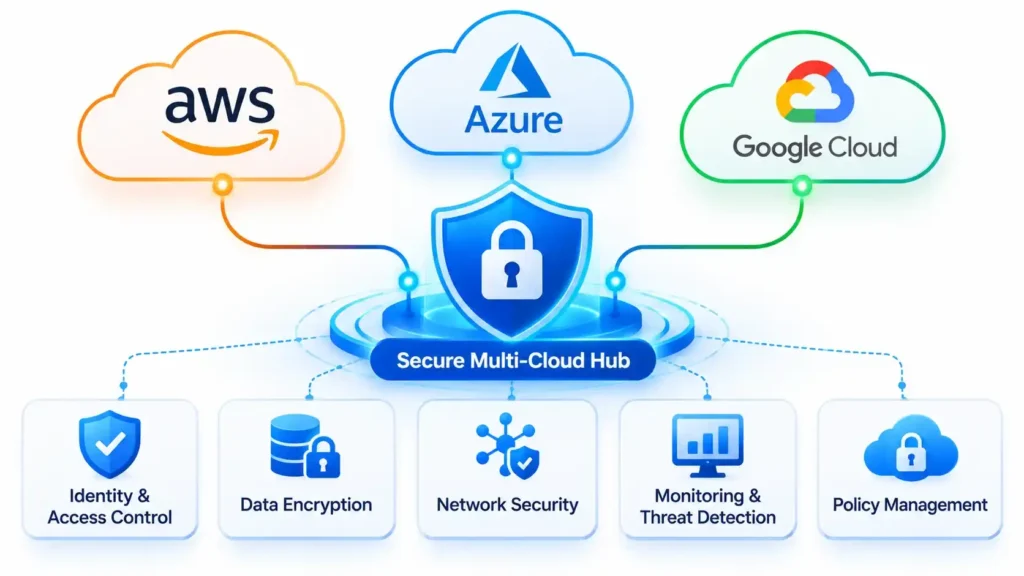
The principles are the same everywhere. Only the tool names change. Here’s a quick map.
| Control | AWS | Azure | Google Cloud |
|---|---|---|---|
| Threat detection | GuardDuty | Defender for Cloud | Security Command Center |
| Audit logs | CloudTrail | Activity Logs | Cloud Audit Logs |
| Secrets | Secrets Manager | Key Vault | Secret Manager |
| Guardrails | Service Control Policies | Azure Policy | Organization Policies |
| Block public storage | S3 Block Public Access | Disable anonymous blob access | Public access prevention |
| Just-in-time admin | IAM roles with short sessions | Privileged Identity Management | Short-lived credentials |
If you use more than one cloud, don’t try to master three sets of tools at once. Use shared standards for your infrastructure as code, keep one set of policies written in plain language, and consider a cross-cloud posture management tool for a single view of your risk.
Your 30-Day Cloud Security Plan
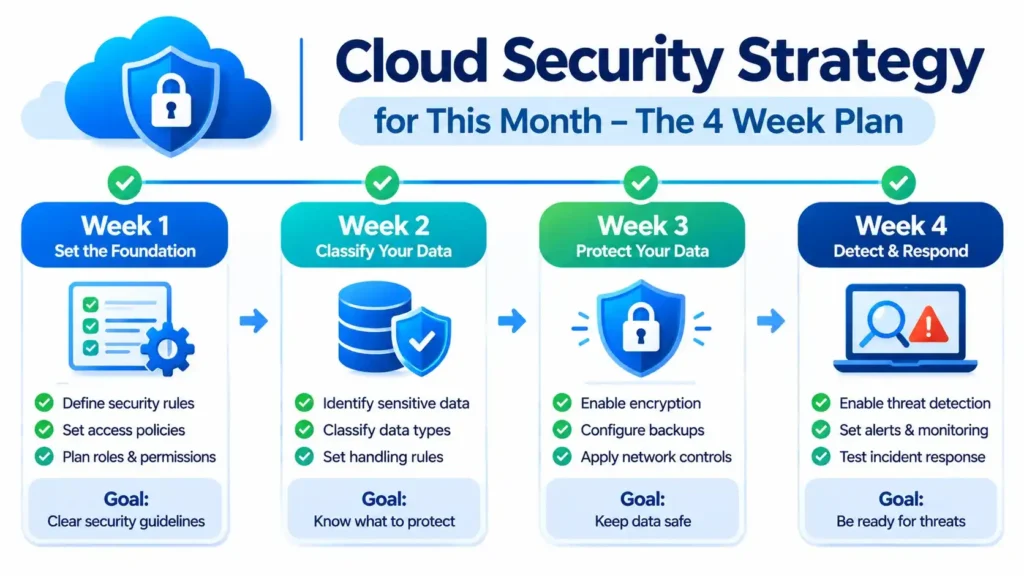
Not sure where to begin? Here’s the plan, step by step.
- Week 1: Lay the foundation. Turn on MFA, secure root and admin accounts, and enable logging in every region.
- Week 2: Clean up access. Remove unnecessary permissions, rotate access keys older than 90 days, and move secrets into a vault.
- Week 3: Protect your data. Turn on encryption by default, close public access to storage and databases, and keep immutable backups in a separate account.
- Week 4: Detect and respond. Make sure threat detection is working, send alerts to the right person or channel, and write a simple one-page incident response guide.
That’s it. In four weeks, you’ll be ahead of many companies, and most of these steps are free or low-cost.
Common Cloud Security Mistakes to Avoid
- Assuming the provider handles everything. They don’t. See the shared responsibility table above.
- Ignoring alerts. The best threat detection tool is useless if nobody reads the notifications.
- Using a single account for everything. Separate accounts or subscriptions limit the damage when something goes wrong.
- Setting it up and forgetting it. Cloud environments change daily, so a setup that was perfect in January may not be in March.
- Buying tools before fixing the basics. An expensive platform won’t help if your root account has no MFA.
Frequently Asked Questions
What are the most important cloud security tips?
Use multi-factor authentication on all accounts, avoid daily use of root and admin accounts, turn on audit logging in every region, and remove public access from storage and databases. Those four steps close the most common attack paths.
What is the most common cause of cloud security incidents?
Misconfiguration is one of the biggest causes, along with weak access controls. Typical examples are public storage buckets, excessive permissions, disabled encryption and credentials exposed in code. Most of these don’t need a sophisticated attack to be exploited.
How is cloud security different from traditional security?
In the cloud, the provider secures the underlying hardware, and you secure your configurations, identities and data. Resources also appear and disappear automatically, everything is managed through APIs, and identity matters more than the network perimeter.
What is the shared responsibility model?
It’s the way security duties are split between the cloud provider and the customer. The provider protects the physical infrastructure and core platform. You protect your data, identities, permissions, configurations and applications.
How often should I review my cloud security?
Do a formal assessment at least once a year and review your key controls every quarter. A better option is to use a posture management tool, so problems are flagged within hours instead of waiting for the next audit.
Do small businesses need all of these measures?
Yes, the principles apply to everyone, but you don’t need to do everything at once. Start with the four things to fix first, then follow the 30-day plan. For most small teams, that already covers the majority of real-world risk.
Where to Start Today
Cloud security isn’t something you buy once and forget. It’s a set of habits: know who has access, understand your configurations, log your changes, and practice recovery before you need it.
Pick one tip from this list and do it today. Turning on MFA for your admin accounts is a great place to start.
Discover more from Diginatives
Subscribe to get the latest posts sent to your email.